

emby.wiki · DOCUMENTATION
Beginner's Guide to Hosting an Emby Server
A step-by-step path from beginner to server admin 😎 This illustrated guide is long, so please read patiently ❤️
📚Contents#
I. ✍️Introduction II. 🧰Prerequisites III. 🖥️Install 1Panel and Expand the App Market IV. 🎬Configure Emby V. 🗄️Install the Database VI. 🤖Obtain TGBotToken, TG API, and Hash VII. 🔄Integrate TGBot for Automated Management VIII. 📺Configure MoviePilot and qBittorrent for Automatic Series Downloads (Optional) IX. 🌐Configure Reverse-Proxy Domain Access or Optimize the Connection Line (Optional) X. 🎉Final Notes
I. ✍️Introduction#
Applicability: this tutorial covers deployment only on overseas servers. It may not be a useful reference for mainland Chinese servers, home-cloud systems, or home NAS devices. This tutorial uses Debian as its Linux distribution. Commands for other Linux platforms are available at https://linux.xxxh.de. It does not cover inexpensive but failure-prone approaches such as mounting cloud drives.
The author does not have a computer-related professional background. Most operations use visual management panels and everything is installed through Docker, making the guide suitable for beginners. Experts may prefer other material. This article is my original work. You are welcome to repost it, but please leave a message and cite the source.
Reposted from: https://www.ashlord.com/archives/7
II. 🧰Prerequisites#
①A Server with Sufficient Capacity (Required)#
②A Suitable Domain Name (Optional)#
③A Cloudflare Account for DNS Resolution (Optional)#
④TGBotToken, TG API, and Hash (Required)#
Obtaining the TG API and hash can be somewhat difficult, but this tutorial includes detailed steps.
⑤A Private-Tracker Account (Optional)#
III. 🖥️Install 1Panel and Expand the App Market#
①Open the Server Terminal and Install 1Panel#
curl -sSL https://resource.fit2cloud.com/1panel/package/quick_start.sh -o quick_start.sh && bash quick_start.sh
②Add the Extended App Market#
wget -P /opt/1panel/resource/apps/local https://github.com/okxlin/appstore/archive/refs/heads/localApps.zip
unzip -o -d /opt/1panel/resource/apps/local/ /opt/1panel/resource/apps/local/localApps.zip
cp -rf /opt/1panel/resource/apps/local/appstore-localApps/apps/* /opt/1panel/resource/apps/local/
rm -rf /opt/1panel/resource/apps/local/appstore-localApps
rm -rf /opt/1panel/resource/apps/local/localApps.zip
③Open http://IP:port in a Browser to Access the Panel#
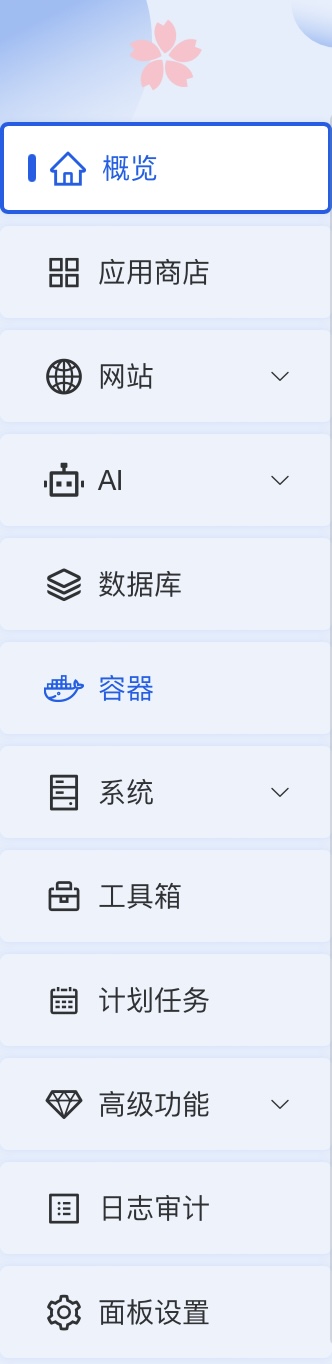
After entering the username and password, open the panel. Counting from the top of the left sidebar, the second item is App Store, the third is Websites, the fifth is Databases, the sixth is Containers, and the seventh is Files. This tutorial uses these feature pages, so familiarize yourself with them in advance.
IV. 🎬Configure Emby#
①Install Emby#
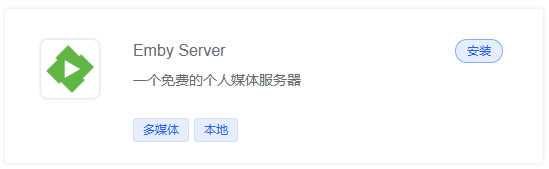
Note: Unless you have special requirements, keep all defaults. Be sure to allow external access to the port.
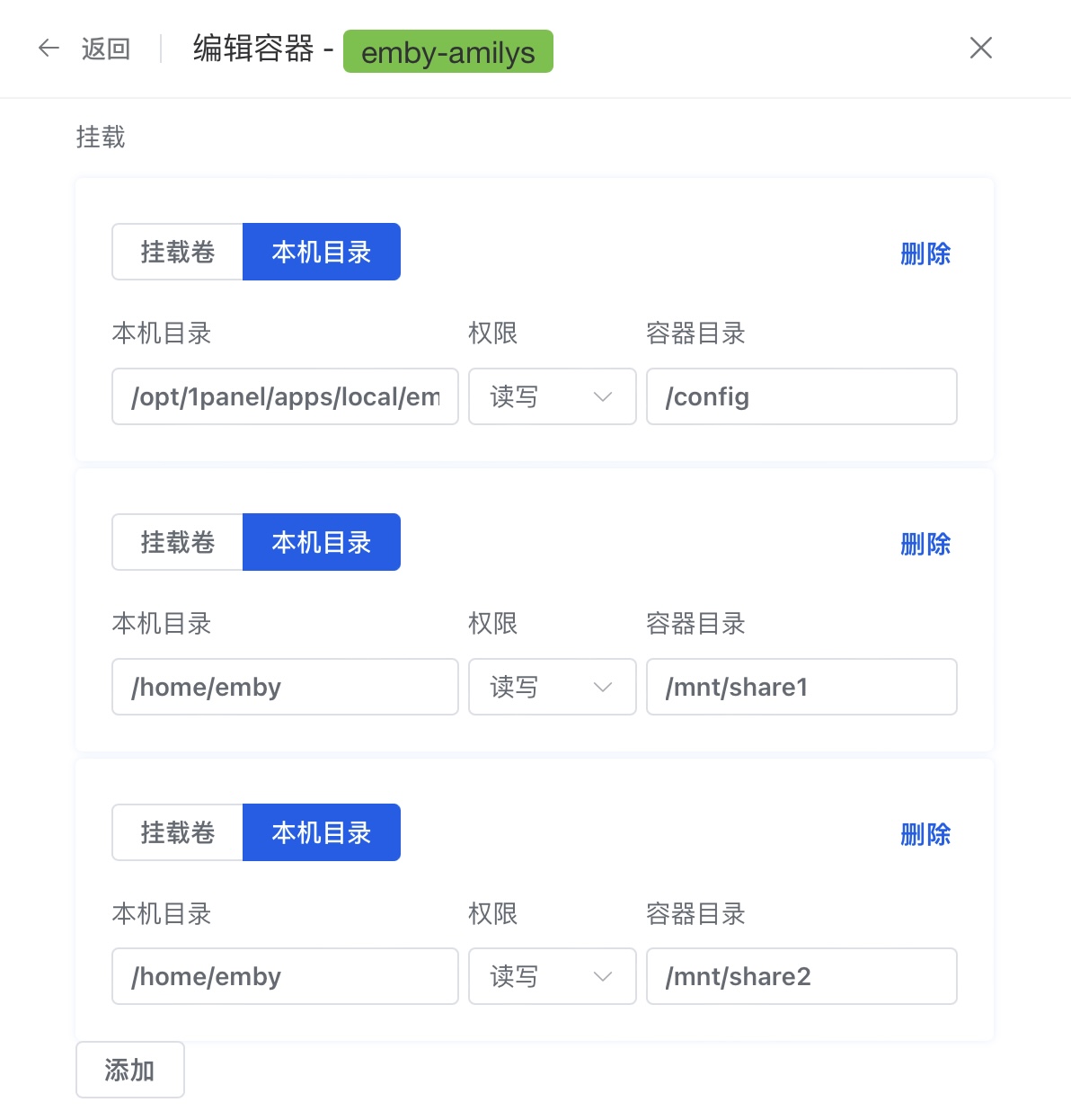
②Edit the Container and Mount a Local Directory at the Required Path, for Example /home/emby#
③Obtain an API Key and Install Playback Reporting#
Open http://IP:port in a browser, complete the setup steps, and create the administrator account.
Open the administration dashboard, obtain an API key, and copy it for later use.
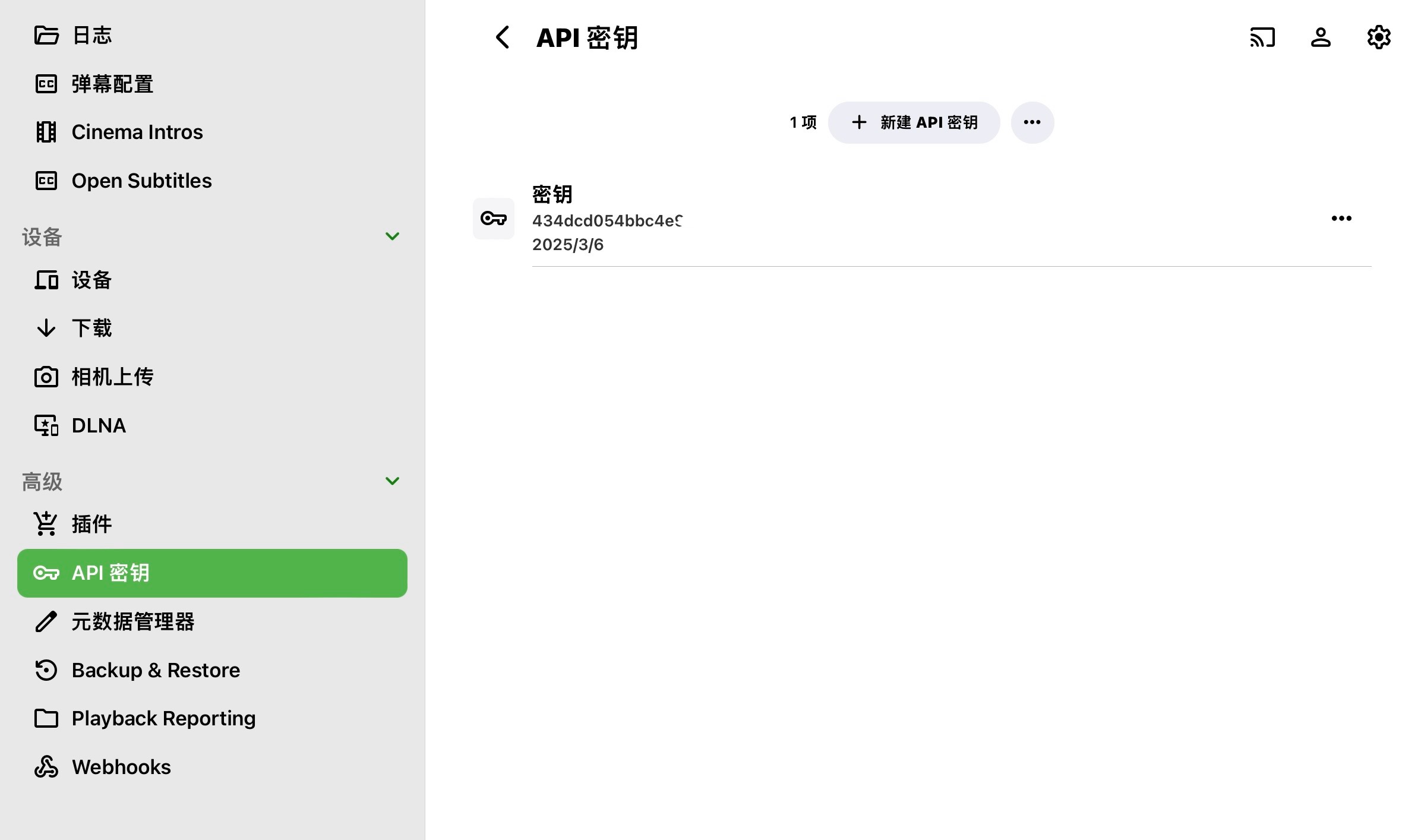
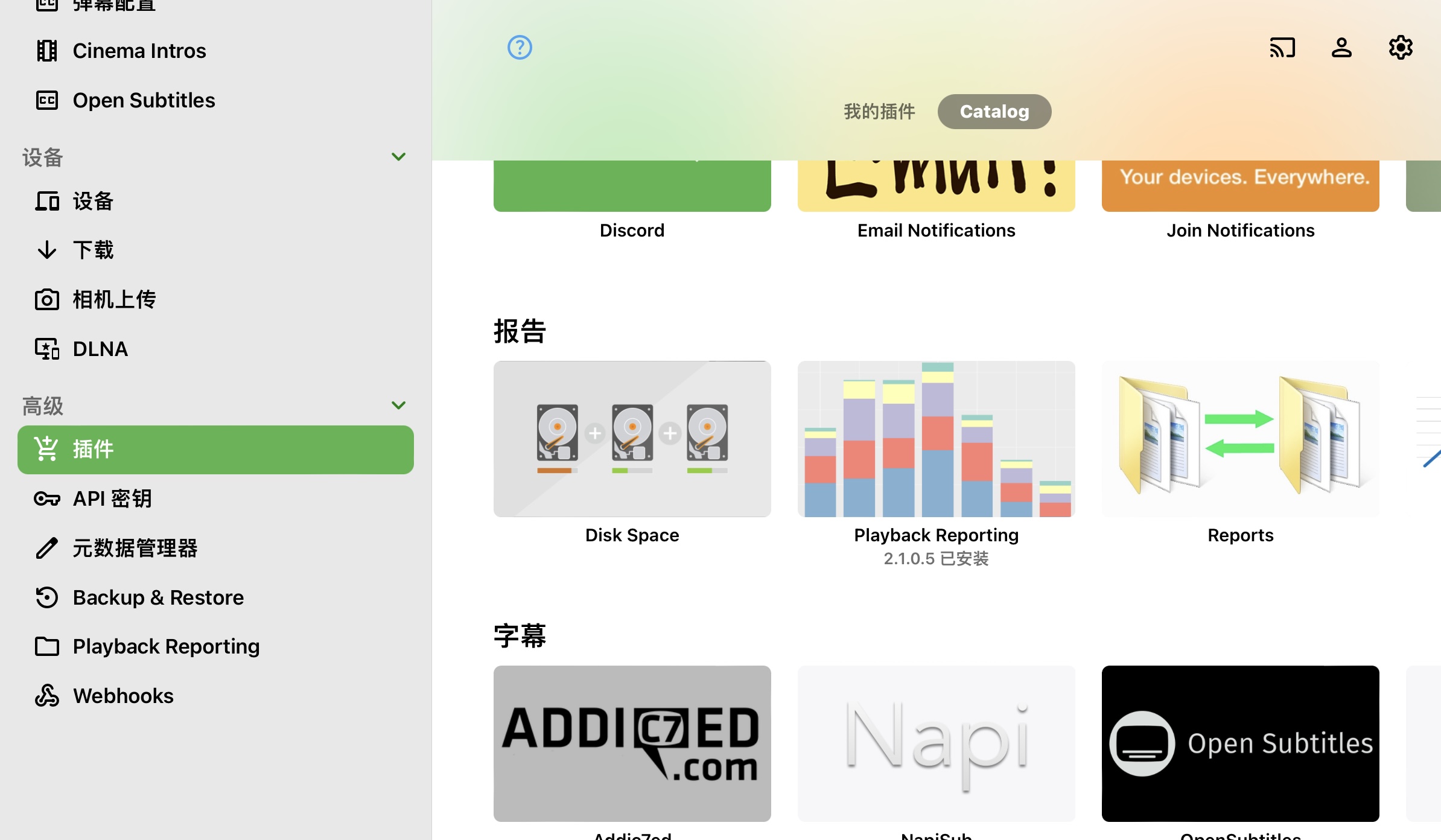
Download and install Playback Reporting from the plugin catalog, as shown below.
④Organize Movies by Category and Set Category Artwork#
You can organize them manually or use MoviePilot to do so automatically, as explained below. Artwork image URLs:
Animated Movies
https://photo.lily.lat/file/AgACAgQAAyEGAASLgSpZAAIV_2q85AgwRostZAUsE0CRyKh_rs4jAALLD2sbaR_pUUPzYWzbjA41AQADAgADdwADPQQ.png
Chinese TV Series
https://photo.lily.lat/file/AgACAgQAAyEGAASLgSpZAAIWAAFqvOSWrgojSV5nRGW8U7qECttaaAAC0A9rG2kf6VEz410QsowZ6gEAAwIAA3cAAz0E.png
Chinese Animation
https://photo.lily.lat/file/AgACAgQAAyEGAASLgSpZAAIWAWq85JkD2oAsaiDqnHjq824k87jTAALRD2sbaR_pURDsA2WVMoBmAQADAgADdwADPQQ.png
Chinese-language Movies
https://photo.lily.lat/file/AgACAgQAAyEGAASLgSpZAAIWAmq85KMwmC7qOpaC0K_wbPOaHWeoAALSD2sbaR_pUezBFDDR6EhCAQADAgADdwADPQQ.png
Documentaries
https://photo.lily.lat/file/AgACAgQAAyEGAASLgSpZAAIWA2q85KUo2dPfAAF4j_sylA6vEgbI5AAC0w9rG2kf6VHQXTq7RCJ5ZgEAAwIAA3cAAz0E.png
Western TV Series
https://photo.lily.lat/file/AgACAgQAAyEGAASLgSpZAAIWBGq85KitR0Pitz-f36CXU20f60O6AALUD2sbaR_pUVTTU10Bamp8AQADAgADdwADPQQ.png
Japanese Anime
https://photo.lily.lat/file/AgACAgQAAyEGAASLgSpZAAIWBWq85KtmD6MC-upqP7Dhp4xwYtQhAALVD2sbaR_pUcPV1goC34JjAQADAgADdwADPQQ.png
Japanese & Korean TV Series
https://photo.lily.lat/file/AgACAgQAAyEGAASLgSpZAAIWBmq85K5aP073uVDf37tM49jiCt7YAALWD2sbaR_pURUHerWDmuHvAQADAgADdwADPQQ.png
Foreign-language Movies
https://photo.lily.lat/file/AgACAgQAAyEGAASLgSpZAAIWB2q85LBWGT3nNQTrUjmyMqRcu8iqAALXD2sbaR_pUUfOLQgv6i2YAQADAgADdwADPQQ.png
Uncategorized
https://photo.lily.lat/file/AgACAgQAAyEGAASLgSpZAAIWCGq85LNVg3evtFrLKHs87l81EGcrAALYD2sbaR_pUWpuULxdnp-YAQADAgADdwADPQQ.png
Variety Shows
https://photo.lily.lat/file/AgACAgQAAyEGAASLgSpZAAIWCWq85LbdoH_hr7L4pIMK_CIo7o4AA9kPaxtpH-lRhLIXKmJZzVABAAMCAAN3AAM9BA.png
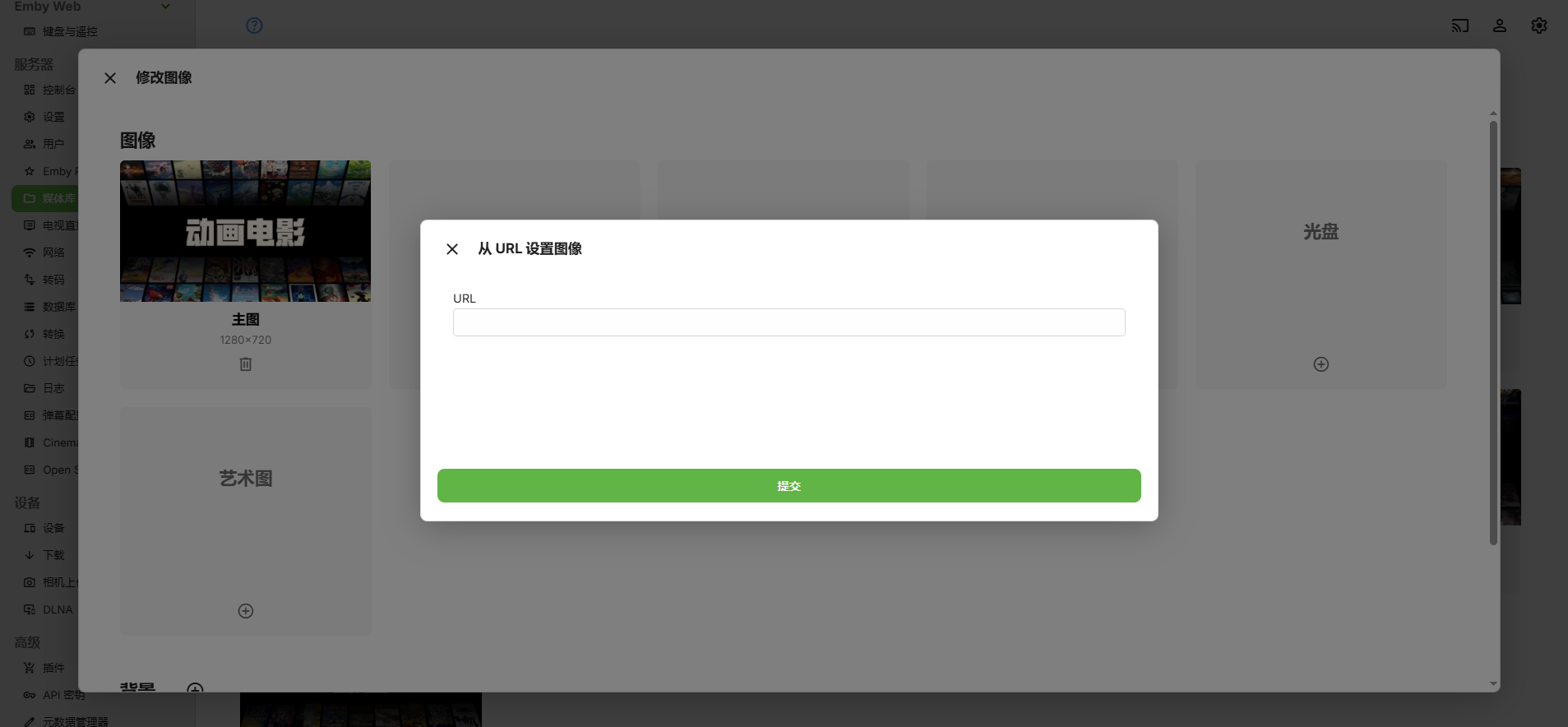
Edit the media library and paste the artwork URL from above.
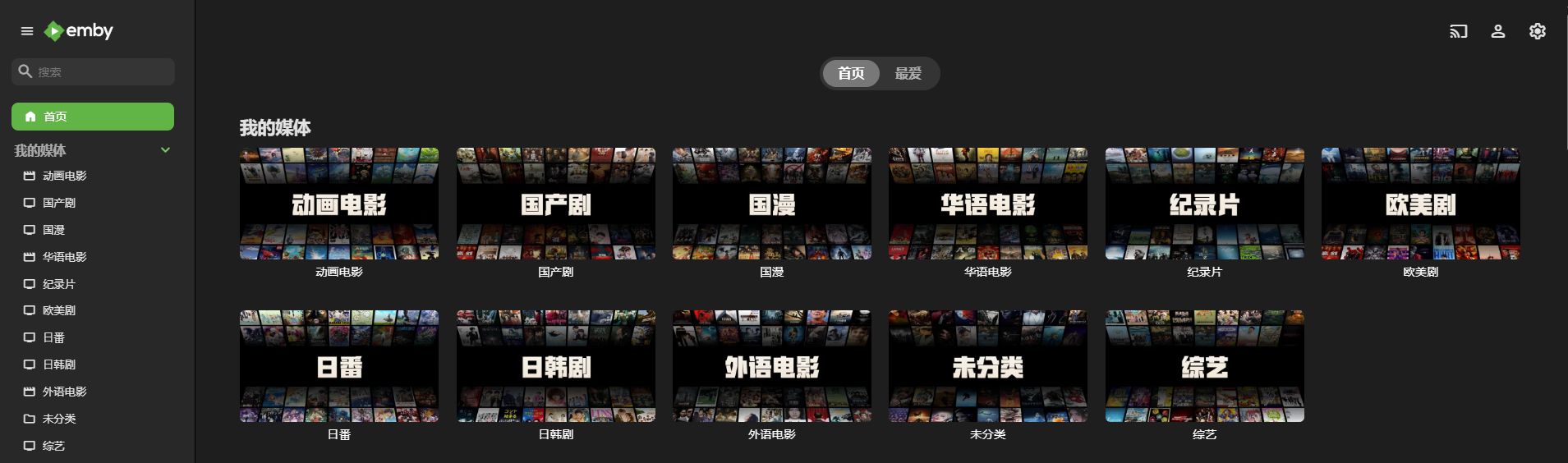
The result is shown below.
V. 🗄️Install the Database#
①Install MySQL#
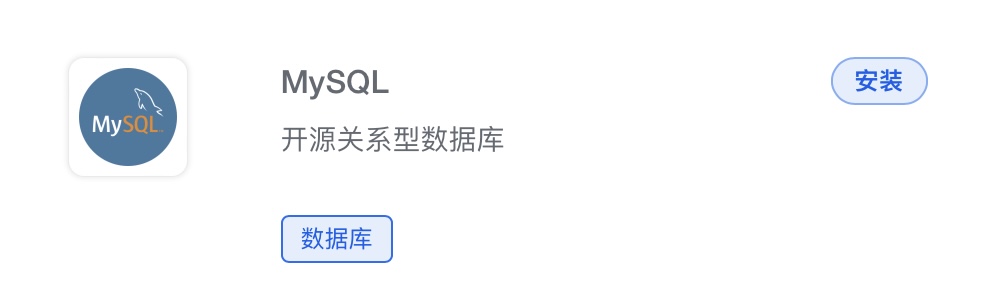
Find MySQL in the App Store and install it with the default settings. Remember to allow external access to the port.
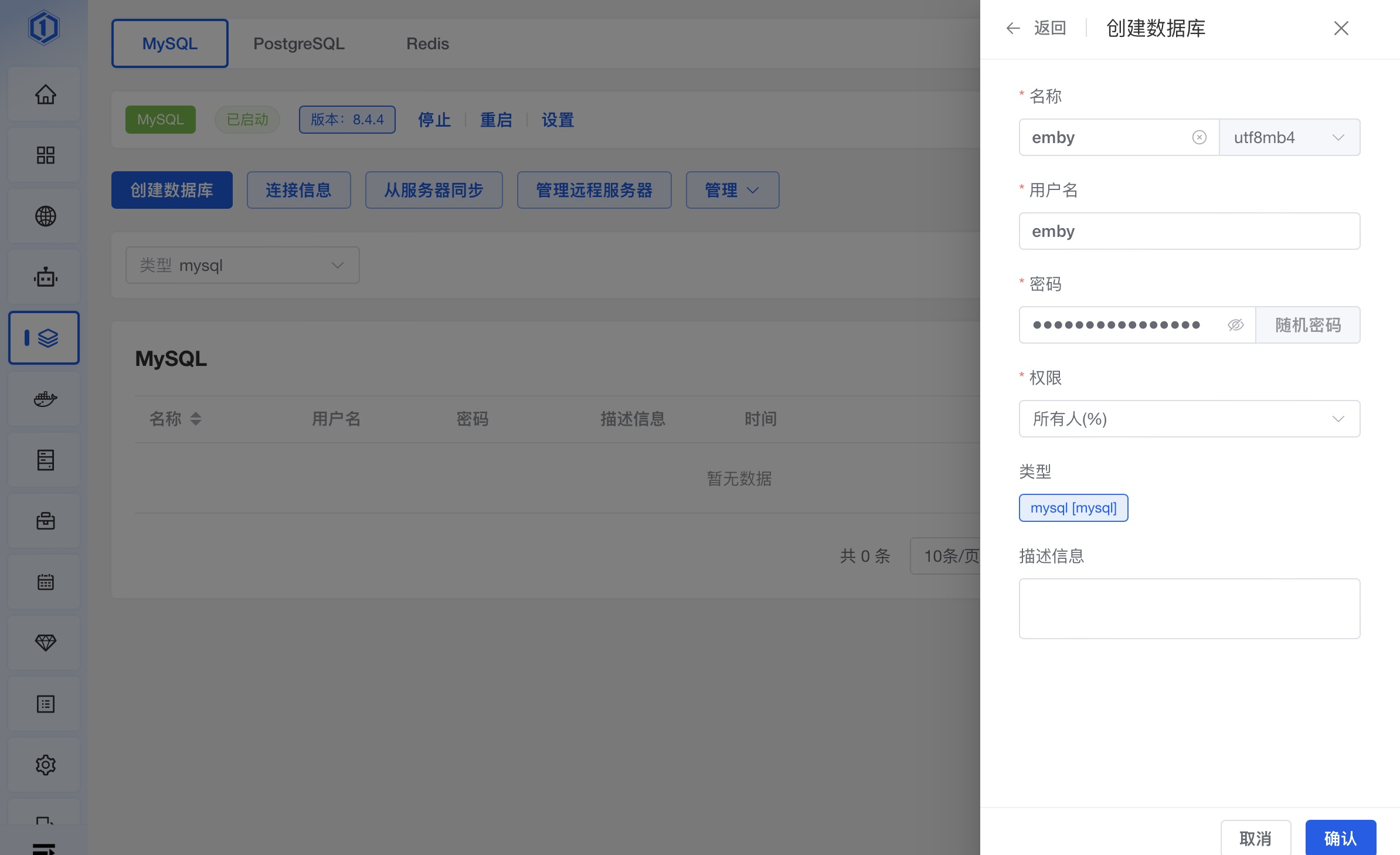
②Create the Database#
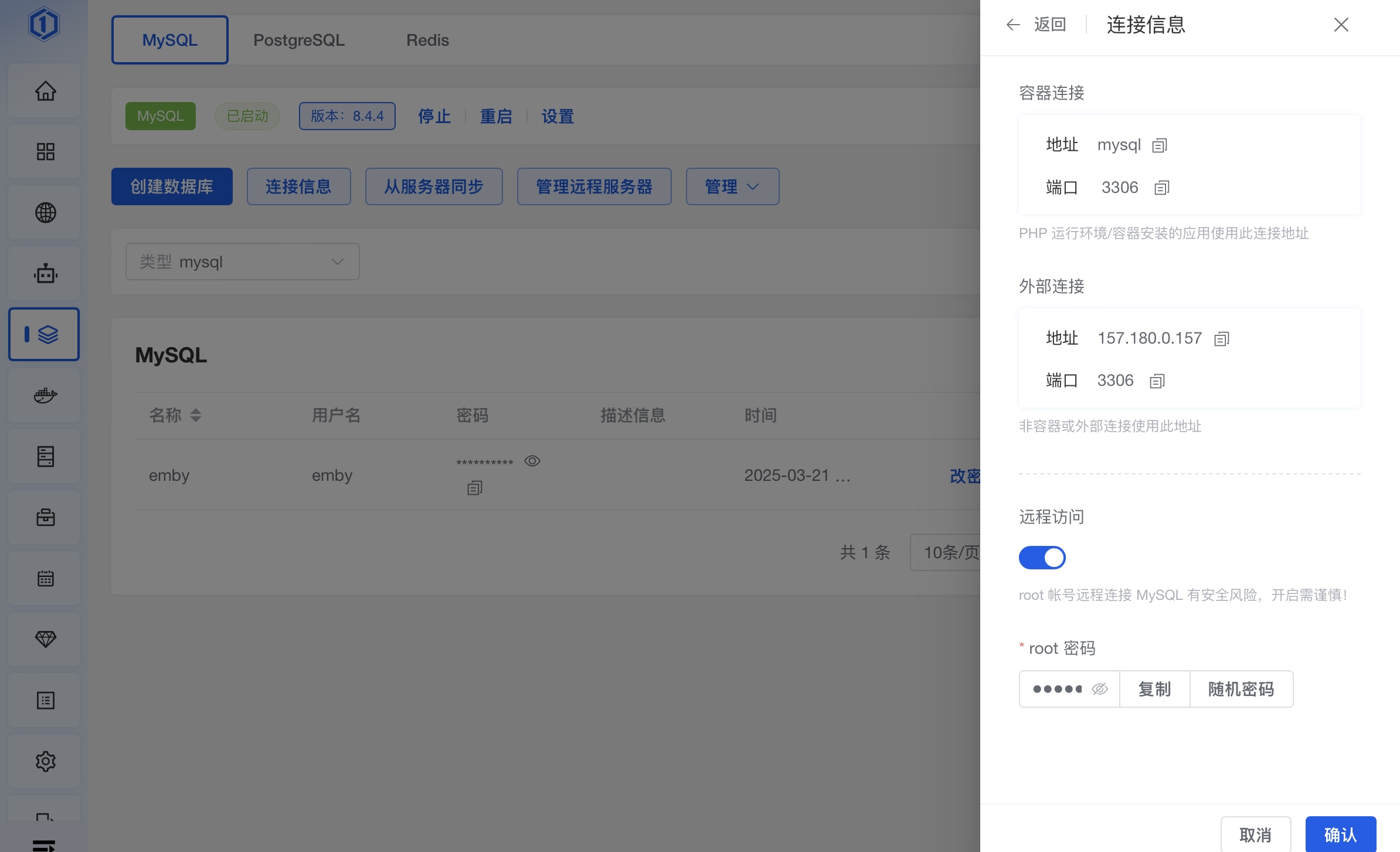
Open the fifth item in the panel's left sidebar: Databases. Copy the username and password for the database you just created and save them for later.
Copy the IP address and port for later use.
VI. 🤖Obtain TGBotToken, TG API, and Hash#
①Create a Bot and Obtain Its Token#
Open https://t.me/BotFather, enter /newbot, choose a suitable name and username, and copy the Token shown in the image for later use.
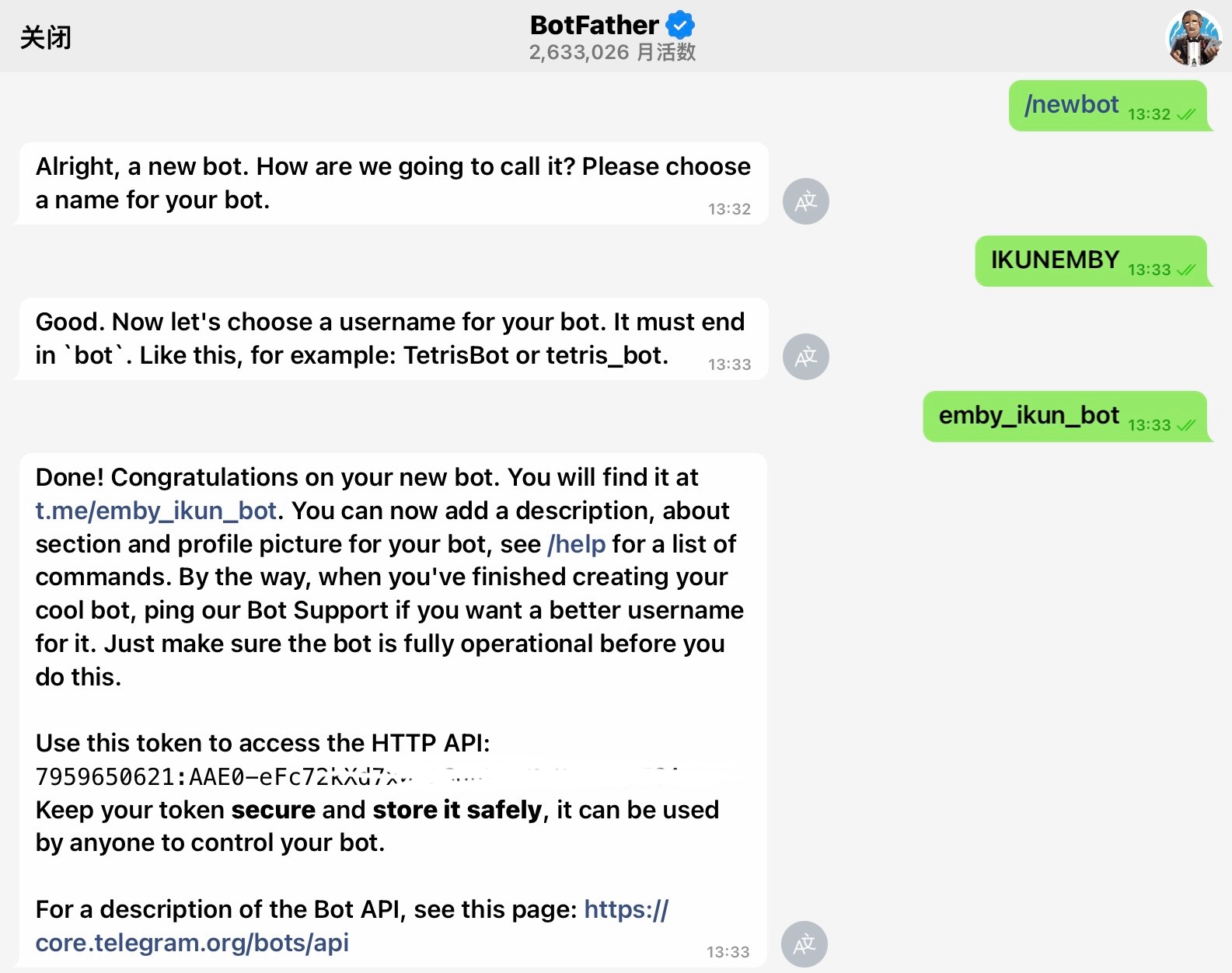
Important: the bot will be a group administrator with permission to delete messages, pin messages, and remove members.
②Obtain the Telegram User API and Hash#
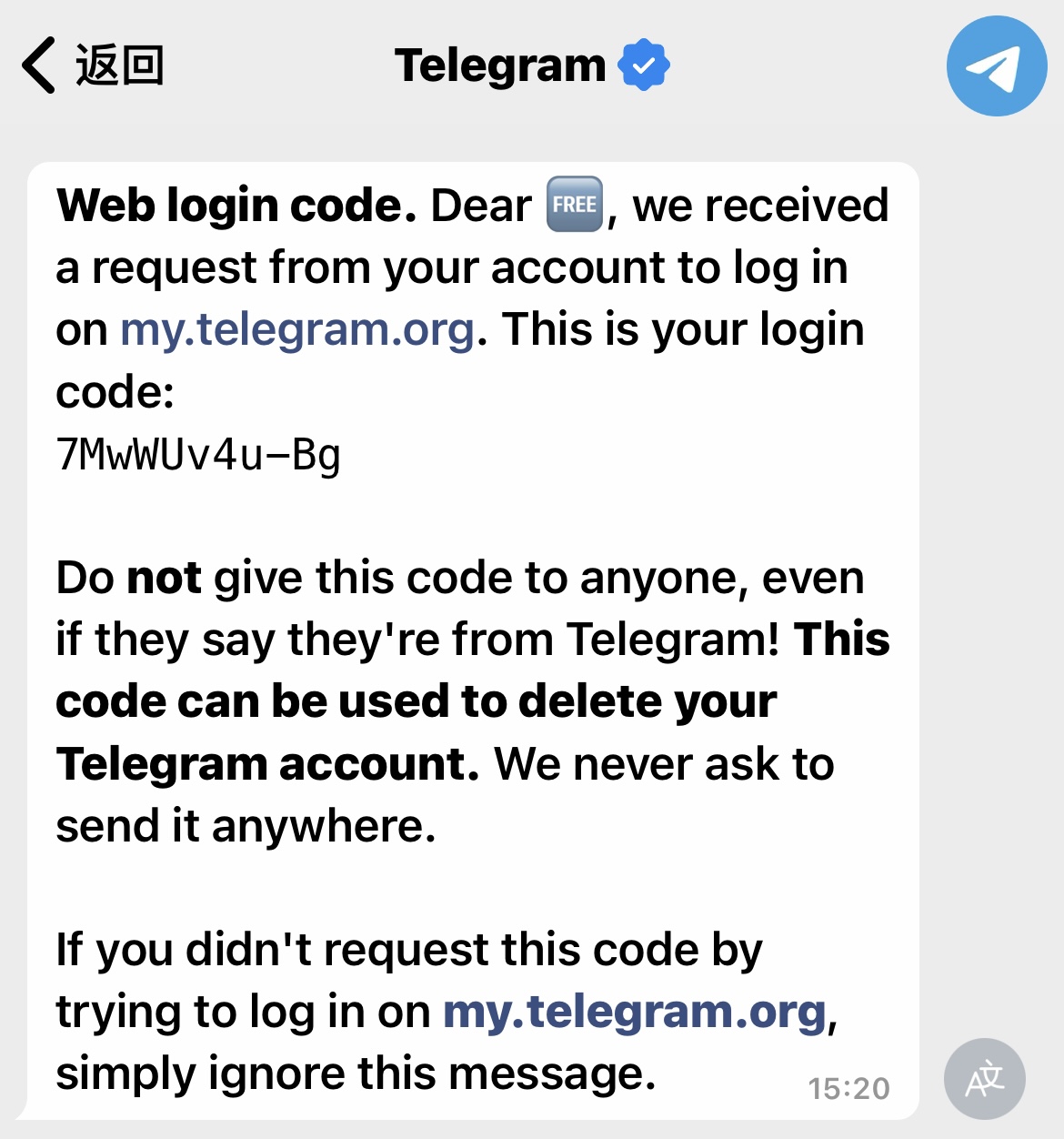
1. Sign in to the Telegram application-management page at https://my.telegram.org/ with the phone number associated with the Telegram account#
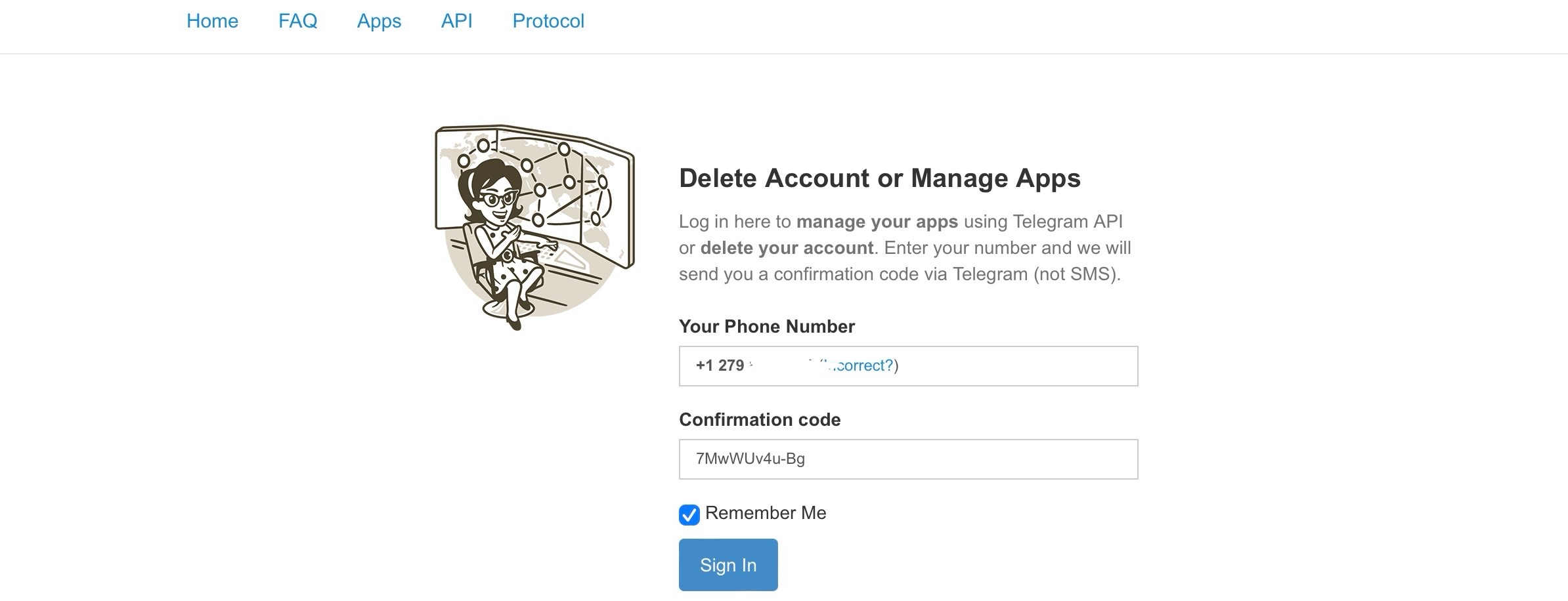
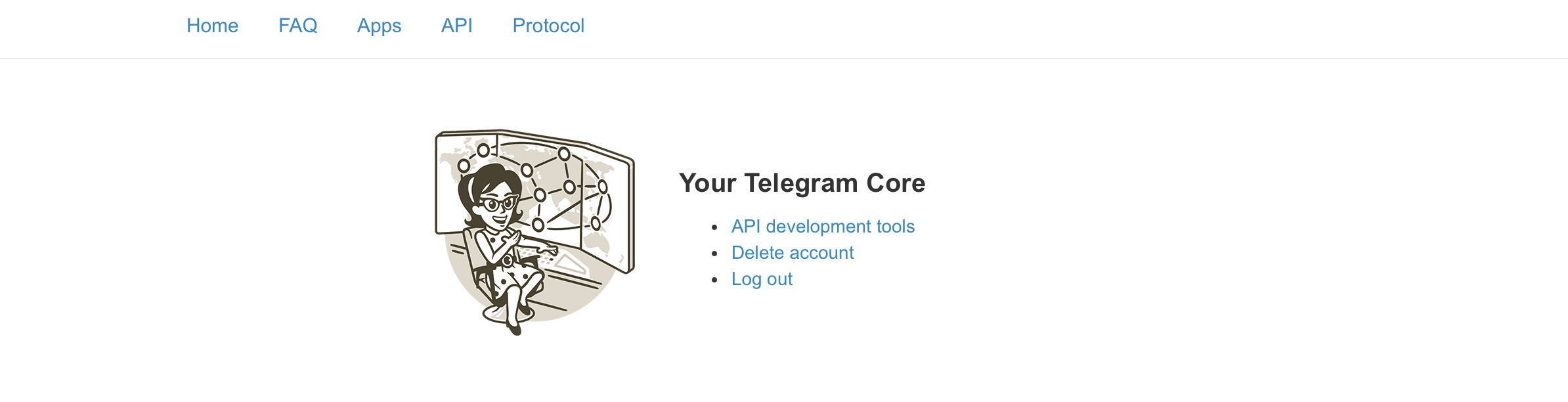
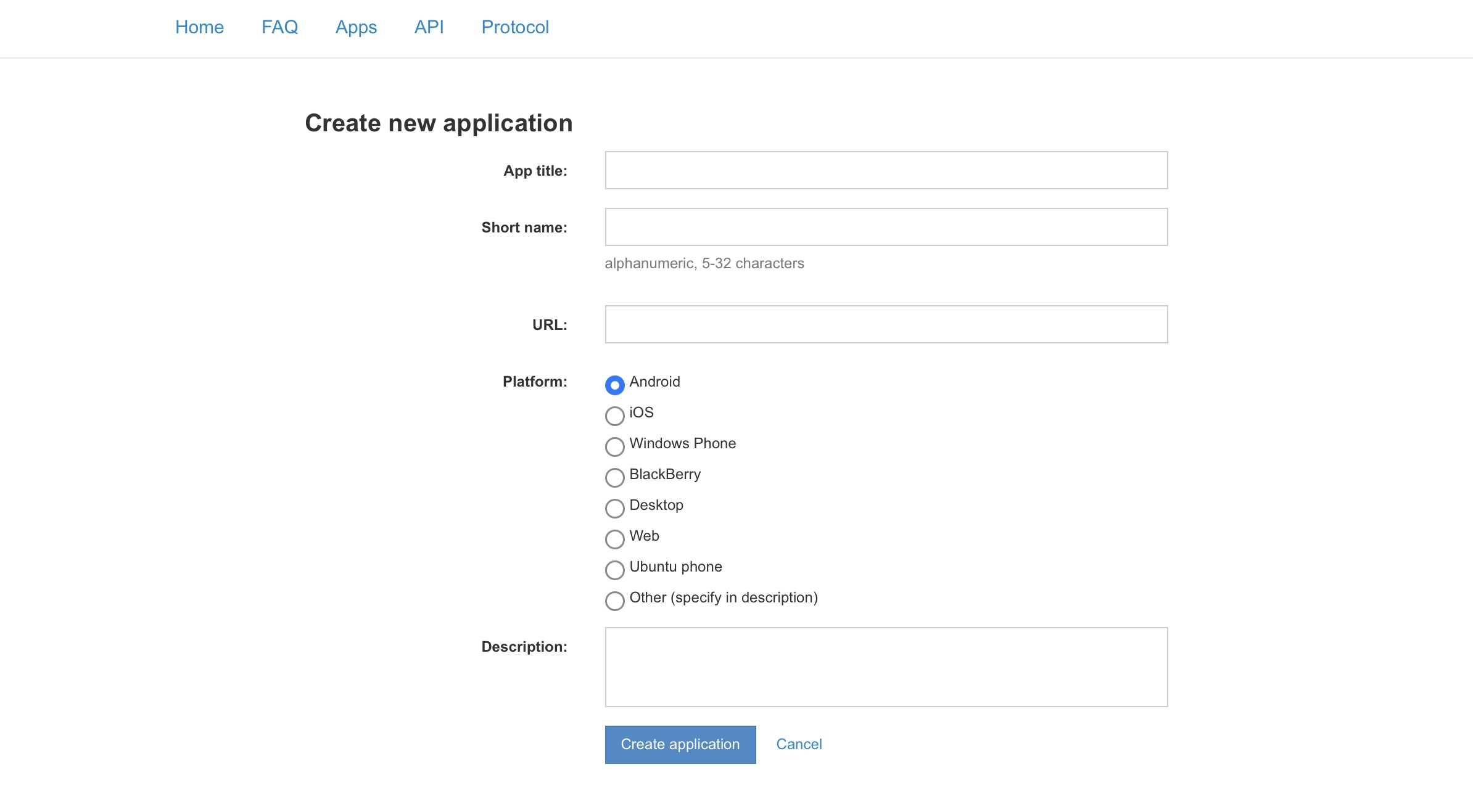
2. Click "API development tools" and complete the form. "App title" and "Short name" can contain any suitable values. For "Platform," choose your development platform. "Description" is a short description of the application#
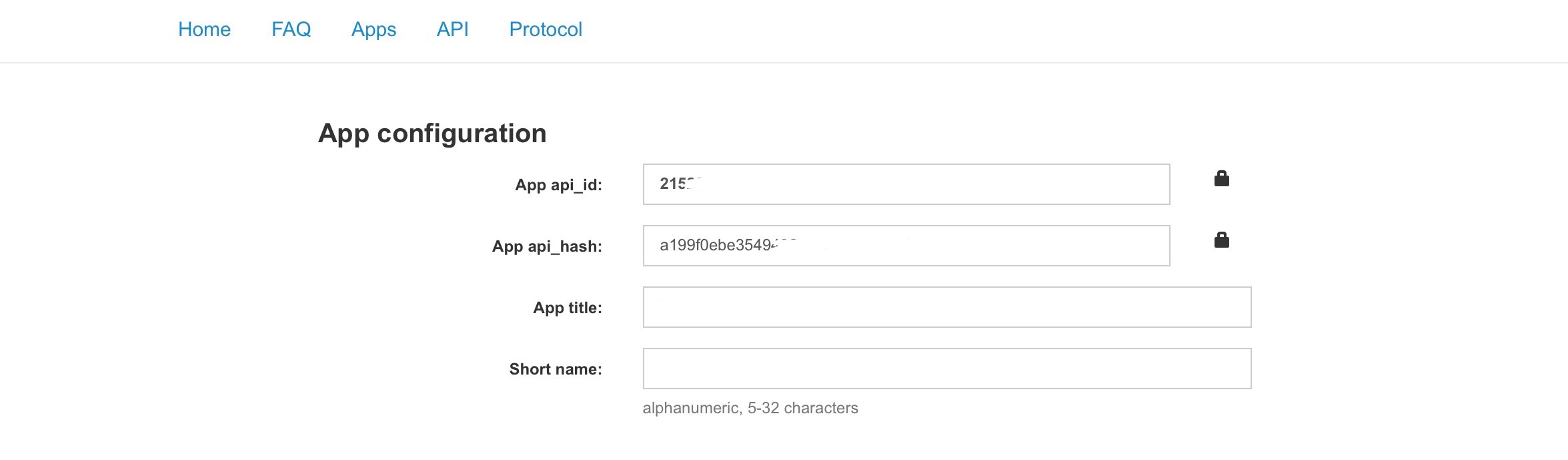
3. Submit the form to create the application. If successful, you will receive an "App api_id" and an "App api_hash." These are your API and Hash. Copy them for later use, as shown below#
4. If the application fails, use an IP node in the same region as the account's country. For example, apply for the API for a Hong Kong Telegram account through a Hong Kong node. Residential broadband IP addresses are said to have a higher success rate#

Note: each account can apply for only one API.
VII. 🔄 Integrate TGBot for Automated Management#
First, thanks to the open-source author for their contribution. Project repository: https://github.com/berry8838/Sakura_embyboss
1. Open the server terminal and clone the source code#
By default, the cloned source files will be located at /root/Sakura_embyboss
sudo apt install python3-pip
git clone https://github.com/berry8838/Sakura_embyboss.git && cd Sakura_embyboss && chmod +x main.py
If Git is not installed on the server, install it:
# Check whether Git is already installed
git --version
# Install Git
apt-get install git
2. Edit config.json#
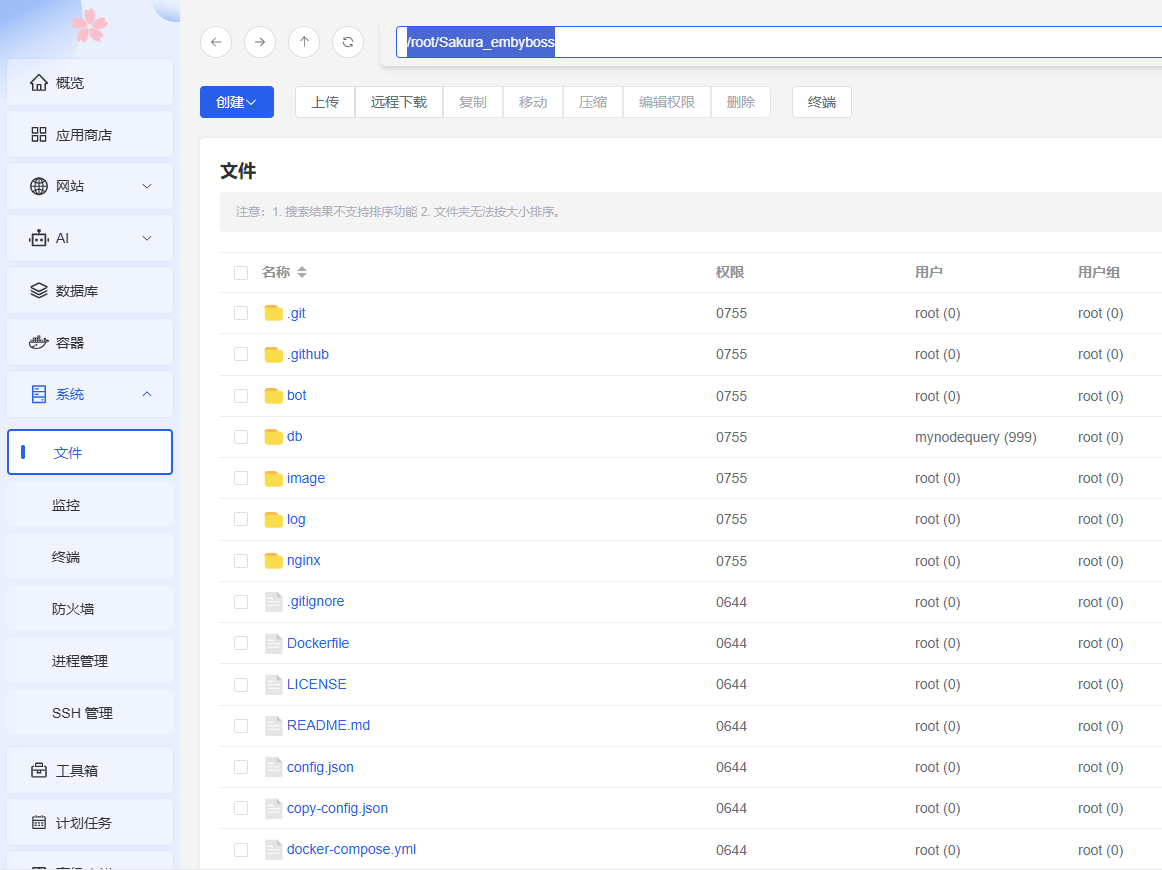
Open the default path /root. You will see the cloned source folder, Sakura_embyboss. Open it and locate config.json.
Alternatively, enter /root/Sakura_embyboss directly in the location shown in the image to get the same result.
| Required variable configuration guide | ||
| Variable | Description | |
| Telegram Bot | bot_name | The bot username. For example, if the bot is @emby_ikun_bot, enter emby_ikun_bot. |
| bot_token | The bot API token created through @BotFather, as described above. | |
| owner_api | API value; see the instructions above. | |
| owner_hash | Hash value; see the instructions above. | |
| owner | The owner's Telegram ID. | |
| group | Authorized group ID. For example, my IKUN group is -1002366246494. The bot automatically leaves unauthorized groups. Users who are not in the group are prompted to join first. | |
| main_group | The group username, such as su_yxfy in @su_yxfy, or a private-group invite token, such as +I1YBb-lW8k0xOGE0 from https://t.me/+I1YBb-lW8k0xOGE0. | |
| chanel | Fill this in the same way as main_group. For example, my channel is Asukacute. | |
| bot_photo | A URL such as https://photo.lily.lat//1742561996081.png. This image is included in messages sent by the bot. You can upload an image through my image host: https://photo.lily.lat/. | |
| admins | Empty by default: [ ]. Add the Telegram user IDs that should receive permissions. | |
| Emby | emby_api | The Emby api_key. Create one under Emby Service Management → Advanced → API Keys, as described above. |
| emby_url | A URL such as http://255.255.255.36:8096 (direct IP) or https://emby.xxxh.de (reverse proxy), without a trailing slash. This is the address used to send requests to Emby. | |
| emby_line | The Emby addresses and information shown in the Server section. Only Telegram MarkdownV2 is supported. Example: \nRegular line: https://emby.xxxh.de\\nPort: 443\n\nBackup line: http://157.180.0.157:8096\\nhttp://\[2a01:4f9:3100:28ec::2\]:8096. The result is shown below. 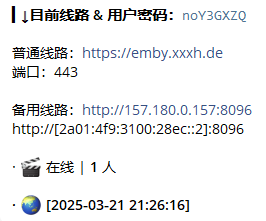 | |
| Database (MySQL) | db_host | Database IP, for example 255.255.255.36. The default port is 3306. |
| db_user | Database username, such as emby in the example above. | |
| db_pwd | Database password from the preceding section. | |
| db_name | Database name, emby in the screenshot above. | |
| db_port | Database port; the screenshot above uses the default 3306. |

| Optional variable configuration guide | ||
| Type | Variable | Description |
| Currency | money | Name of the in-app currency, for example KUN Coins. |
| open Registration and redemption switches | stat | Registration status. Default: false. true or false |
| all_user | Registration limit. It can be changed in the admin settings after the bot starts. Default: 1000. | |
| timing | Timed-registration counter. It is used when timed registration is enabled after the bot starts. Do not change it. Default: 0. | |
| tem | Current registered-user counter. Do not change it. Default: 0. | |
| allow_code | Whether registration codes can be used for renewal. Default: true. true or false | |
| checkin | Whether check-in is enabled. Default: true. true or false | |
| exchange | Whether monthly renewal using coins is enabled. Default: true. true or false | |
| exchange_cost | Renewal price per 30 days. Default: 100. | |
| whitelist | Whether whitelist redemption is enabled. Default: true. true or false | |
| whitelist_cost | Whitelist redemption price. Default: 9999. | |
| invite | Whether invitations are enabled. Default: false. true or false | |
| invite_cost | Invitation-code price per 30 days. Default: 500. | |
| leave_ban | Whether users are banned after leaving the group. Default: true. true or false | |
| uplays | Whether playback rewards are enabled. Default: true. true or false | |
| Emby Media Media-library controls | emby_block | ["Media library name"]. Libraries that users may show or hide. This can also be configured in the bot. |
| extra_emby_libs | ["Media library name"]. Libraries hidden by default from new users. Users cannot change their visibility; administrators can enable them with the /kk command. | |
| ranks | logo | Text used as the LOGO in daily and weekly ranking images. It is also the prefix for registration and renewal codes. Avoid spaces in the middle for a better experience. Default: SAKURA; my setting is IKUN. |
| backdrop | Whether to use a backdrop, meaning a landscape image, as the cover of ranking notifications. Default: false. | |
| schedall Scheduled-task management | dayrank | Default: true. Sends the daily media-play-count ranking every day at 18. |
| weekrank | Default: true. Sends the weekly media-play-count ranking every Sunday at 23. | |
| dayplayrank | Default: false. Sends the daily user-watch-time ranking every day at 23. | |
| weekplayrank | Default: false. Sends the weekly user-watch-time ranking every Sunday at 23. | |
| check_ex expiration retention | Default: true. Compares each user's expiration time with the current UTC time, bans expired users, and deletes accounts not renewed within five days. Runs daily at 01. | |
| low_activity activity retention | Default: false. Bans users whose last activity was more than 21 days ago. Runs daily at 08. | |
| Disable account retention | If both retention options above are disabled (false, false), no retention mechanism is required. | |
| backup_db | Default: false. Automatically backs up the database every day at 02. | |
| backup_db Detailed database-backup settings | db_is_docker | Default: true. Whether the database is running in Docker mode. ture or false |
| db_docker_name | Default: mysql. If the database runs in Docker mode, this is the database container name. | |
| db_backup_dir | Default: ./backup. Directory in which database backup files are stored. | |
| db_backup_maxcount | Default: 7. Number of database backup files to retain. | |
| AntiChanel Anti-channel whitelist | w_anti_chanel_ids | The bot blocks channel-identity messages by default, except anonymous group-admin identities. To allow one to speak, add its ID or username to this list; for example, add the Emby channel. |
| MoviePilotService Media-request feature | status | Default: false. Whether the media-request service is enabled. |
| host | Default: null. MoviePilot API address, such as http://xxx.xxx.xxx.xxx:3001. | |
| username | Default: null. Login username. | |
| password | Default: null. Login password. | |
| access_token | Default: null. Token obtained after identity verification. It updates automatically; do not change it. | |
| price | Default: 1. Charges one KUN Coin per 1 GB. |
Note: MoviePilotService installation is covered below. Remember to save the configuration file and restart Docker for the changes to take effect!
3. Edit docker-compose.yml#
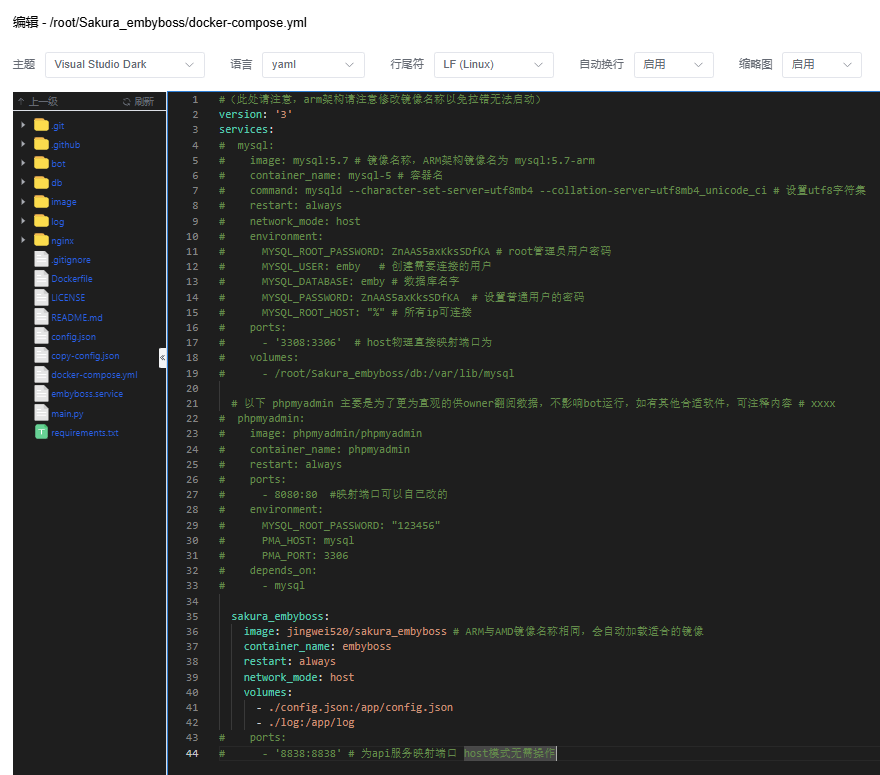
Edit it as shown and comment out unrelated lines because the database was already created manually above.
4. Start the bot#
Open the server terminal and enter:
cd /root/Sakura_embyboss # Enter the source directory
docker-compose up -d # Start the Docker deployment
You can now enter commands in the Emby bot chat to check whether it responds.
5. Debug and inspect the Emby bot#
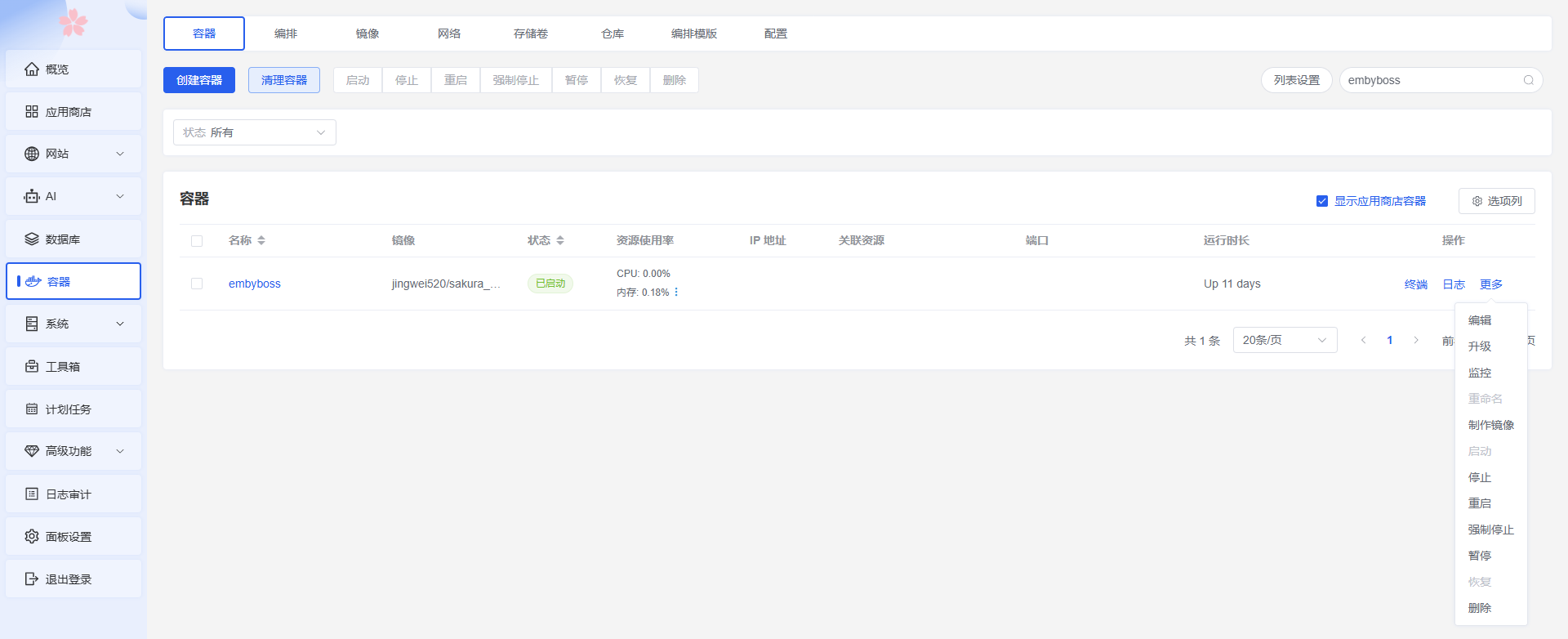
If the bot does not respond, open Containers, the sixth item on the left side of the panel. From there you can inspect the Docker runtime logs, restart the container, or remove it as needed.
VIII. 📺 Configure MoviePilot and qBittorrent for Automatic Series Downloads (Optional)#
Note: You can skip this section if you do not have access to a PT site supported by MoviePilot.
If you do not have a PT site, download the media from a cloud drive and upload it.
I can send an invitation; leave your email address and preregistration ID in a comment.
The steps in this section have no required order. Feel free to explore and configure them yourself.
1. Install MoviePilot#
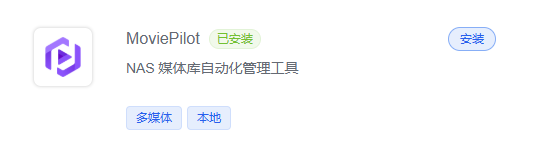
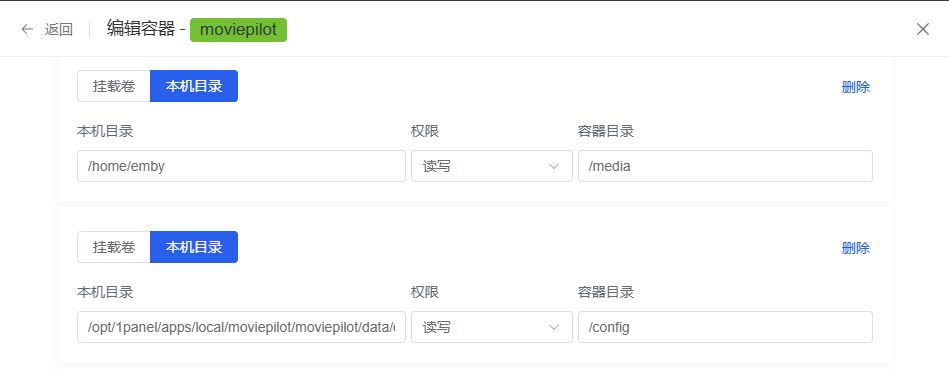
MoviePilot has many configuration options, so you can enter basic values first and configure the rest visually in the panel. On the first login, use the super-administrator password found at:
/opt/1panel/apps/local/moviepilot/moviepilot/data/config/logs/moviepilot.log
Mount the local directory at the same path as the Emby media library, namely /home/emby from the preceding section.
2. Install qBittorrent#
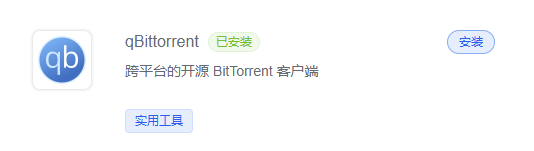
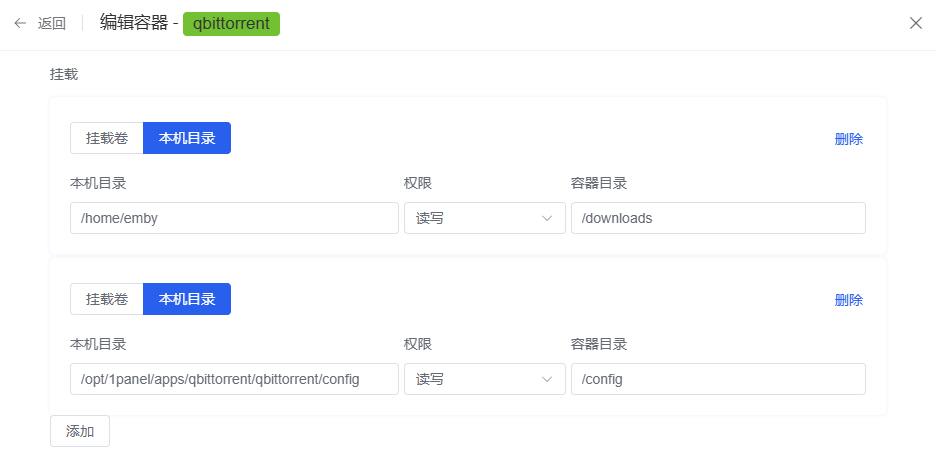
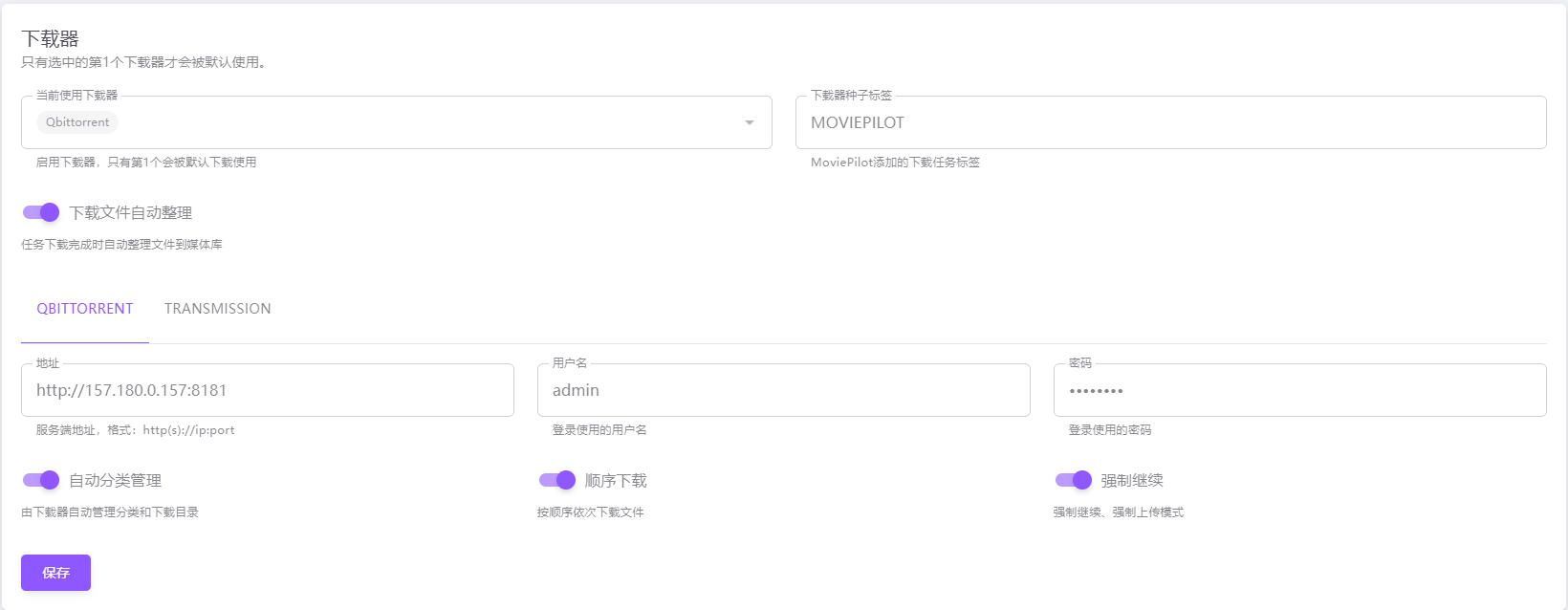
On the first start, find qBittorrent's default password in the Docker logs. After opening the qBittorrent web interface, you can change the password, configure speed limits, and set the active-torrent limit. First switch the interface to Simplified Chinese; many settings are easy to understand. The key information to record here is the qBittorrent username, password, and IP address and port.
Mount the local directory at the same path as the Emby media library, namely /home/emby from the preceding section.
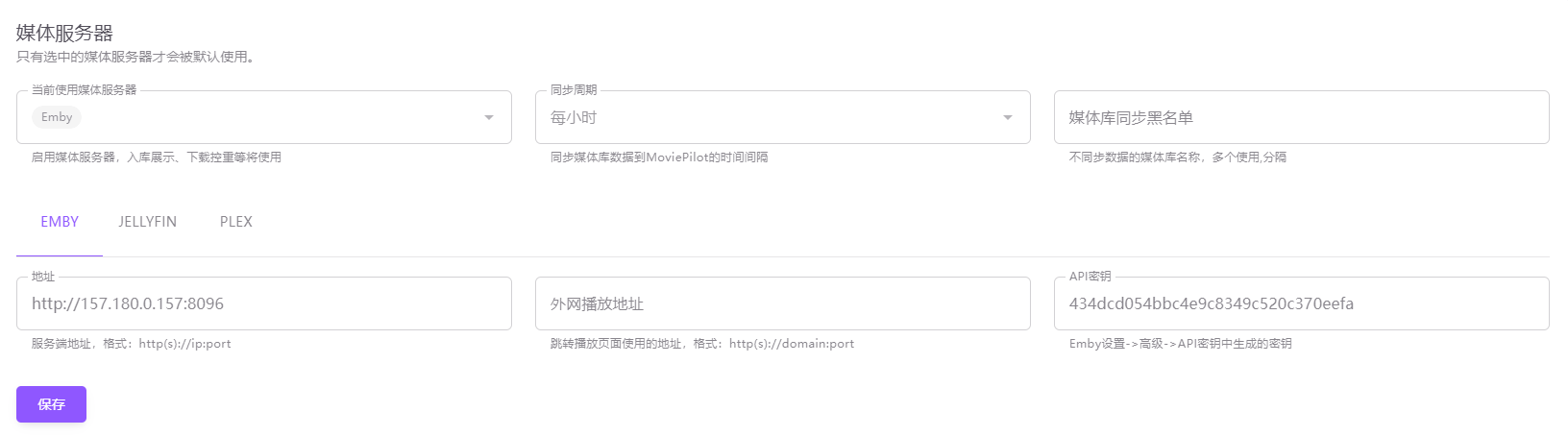
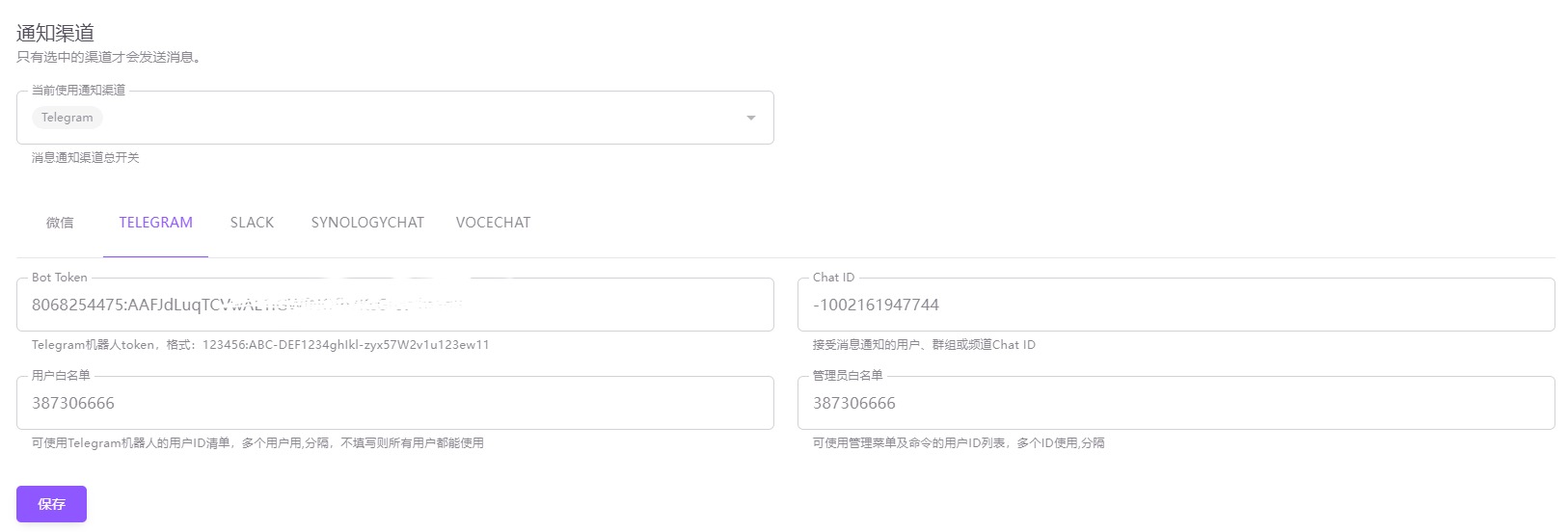
3. Connect Emby, qBittorrent, and the Telegram bot#
Configure them by following the screenshots.
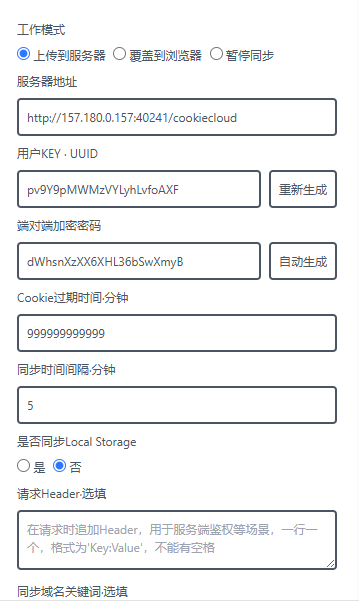
4. Install the CookieCloud extension to synchronize PT-site cookies#
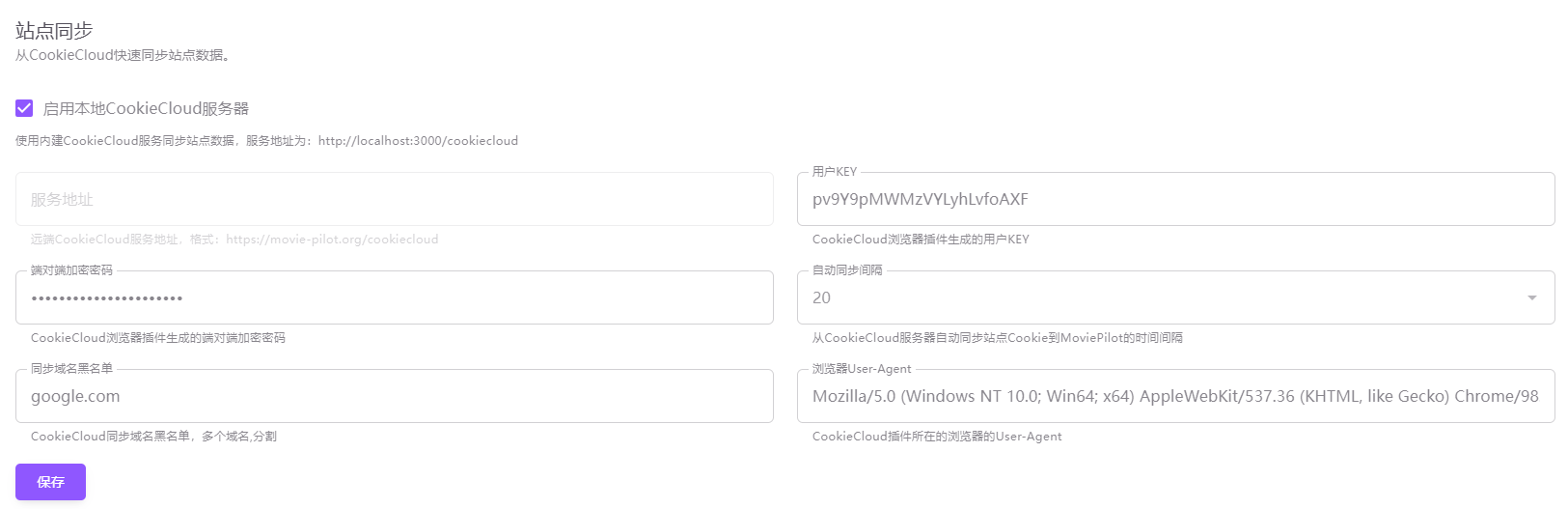
Chrome extension: https://chromewebstore.google.com/detail/cookiecloud/ffjiejobkoibkjlhjnlgmcnnigeelbdl
After configuring it as shown, run a manual synchronization.
5. System health check#
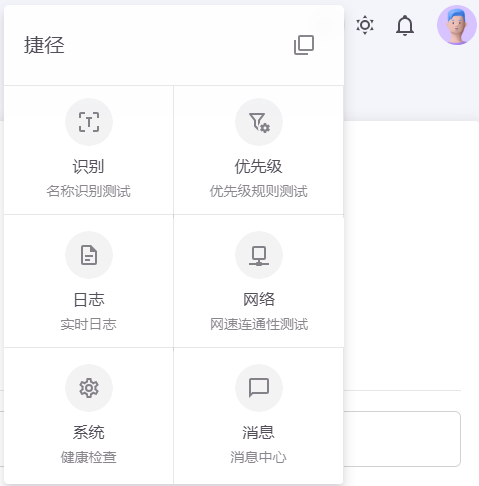
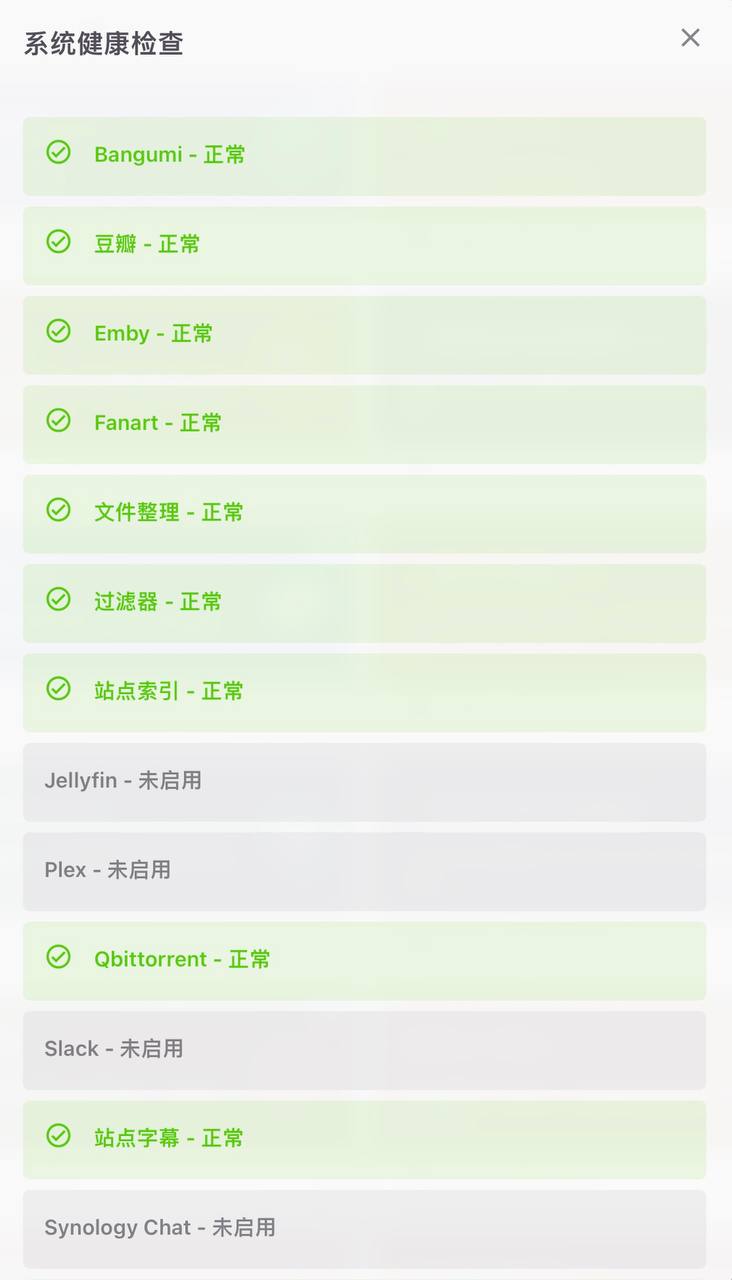
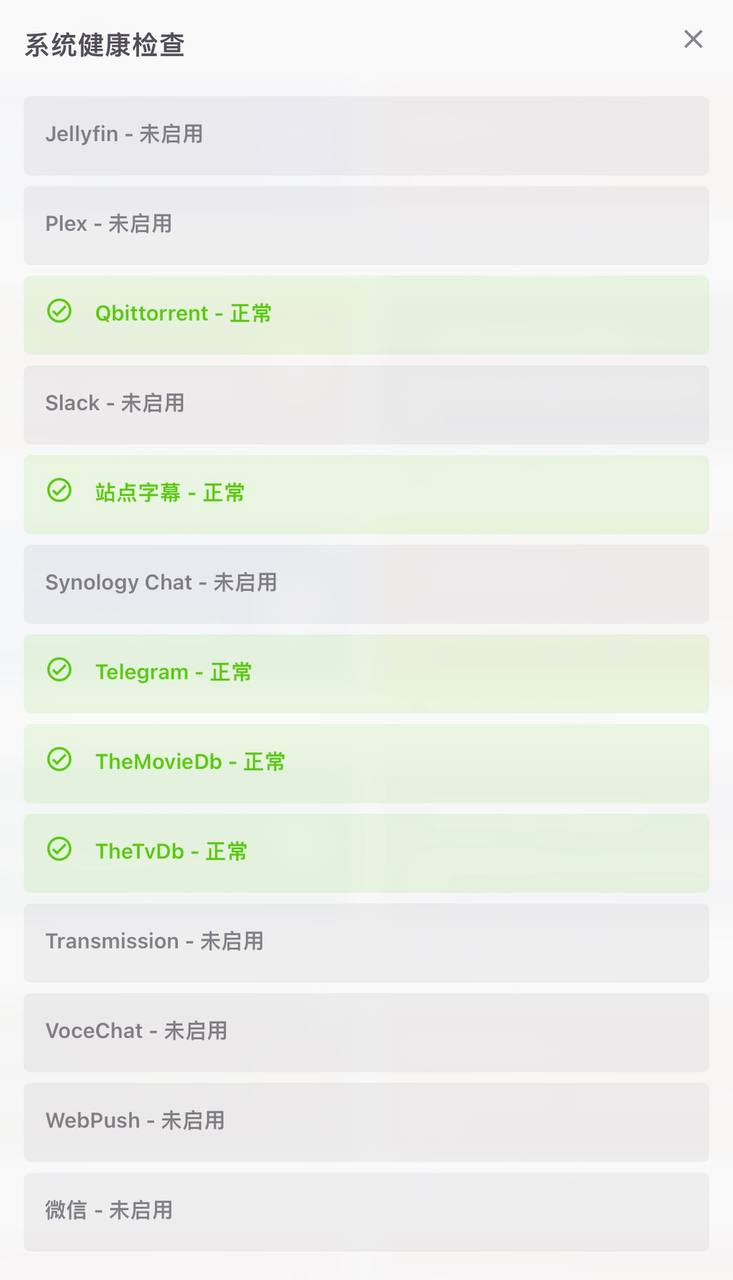
When every item shows a green check mark as in the images, the configuration is correct.
6. MoviePilot plugin marketplace#
For the complete plugin-repository configuration, copy and paste this value into the Docker container's environment variables:
PLUGIN_MARKET=https://github.com/jxxghp/MoviePilot-Plugins/,https://github.com/thsrite/MoviePilot-Plugins/,https://github.com/honue/MoviePilot-Plugins/,https://github.com/InfinityPacer/MoviePilot-Plugins/,https://github.com/dandkong/MoviePilot-Plugins/,https://github.com/Aqr-K/MoviePilot-Plugins/,https://github.com/AnjoyLi/MoviePilot-Plugins/,https://github.com/WithdewHua/MoviePilot-Plugins/,https://github.com/HankunYu/MoviePilot-Plugins/,https://github.com/baozaodetudou/MoviePilot-Plugins/,https://github.com/almus2zhang/MoviePilot-Plugins/,https://github.com/Pixel-LH/MoviePilot-Plugins/,https://github.com/lightolly/MoviePilot-Plugins/,https://github.com/suraxiuxiu/MoviePilot-Plugins/,https://github.com/gxterry/MoviePilot-Plugins/,https://github.com/hotlcc/MoviePilot-Plugins-Third/,https://github.com/boeto/MoviePilot-Plugins/,https://github.com/xiangt920/MoviePilot-Plugins/,https://github.com/yubanmeiqin9048/MoviePilot-Plugins/,https://github.com/loongcheung/MoviePilot-Plugins/,https://github.com/xcehnz/MoviePilot-Plugins/,https://github.com/imaliang/MoviePilot-Plugins/,https://github.com/wikrin/MoviePilot-Plugins/,https://github.com/DDS-Derek/MoviePilot-Plugins/,https://github.com/KoWming/MoviePilot-Plugins
7. Use RSS subscriptions for automatic series downloads#
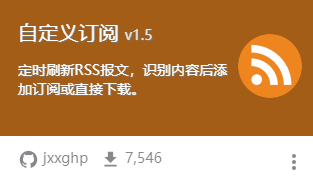
Install the plugin shown below.
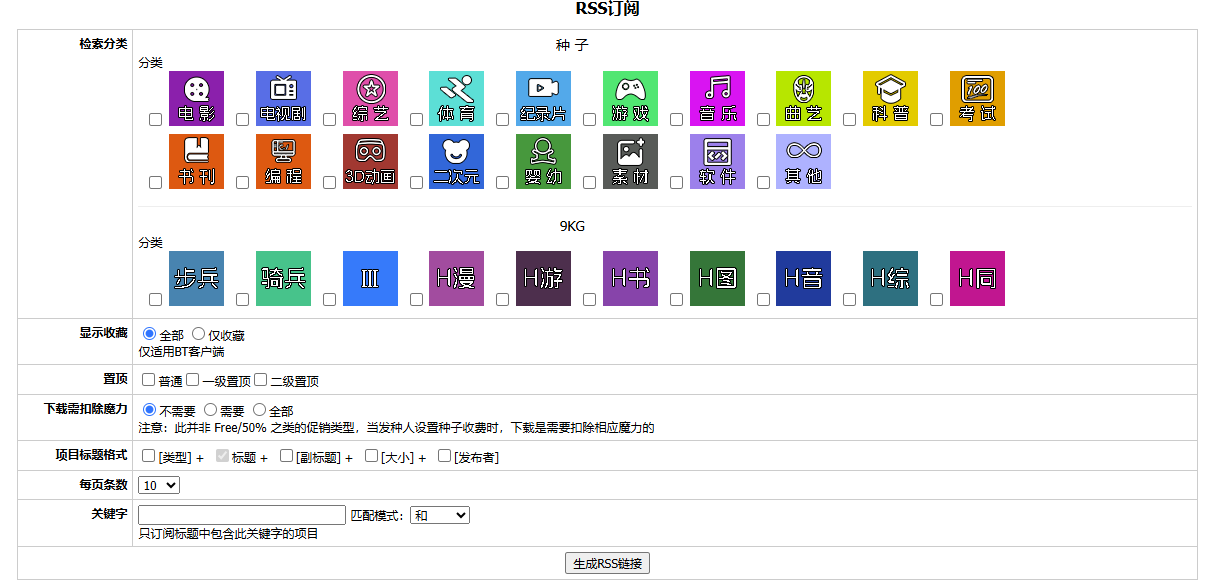
Copy the RSS subscription URL generated by the PT site.
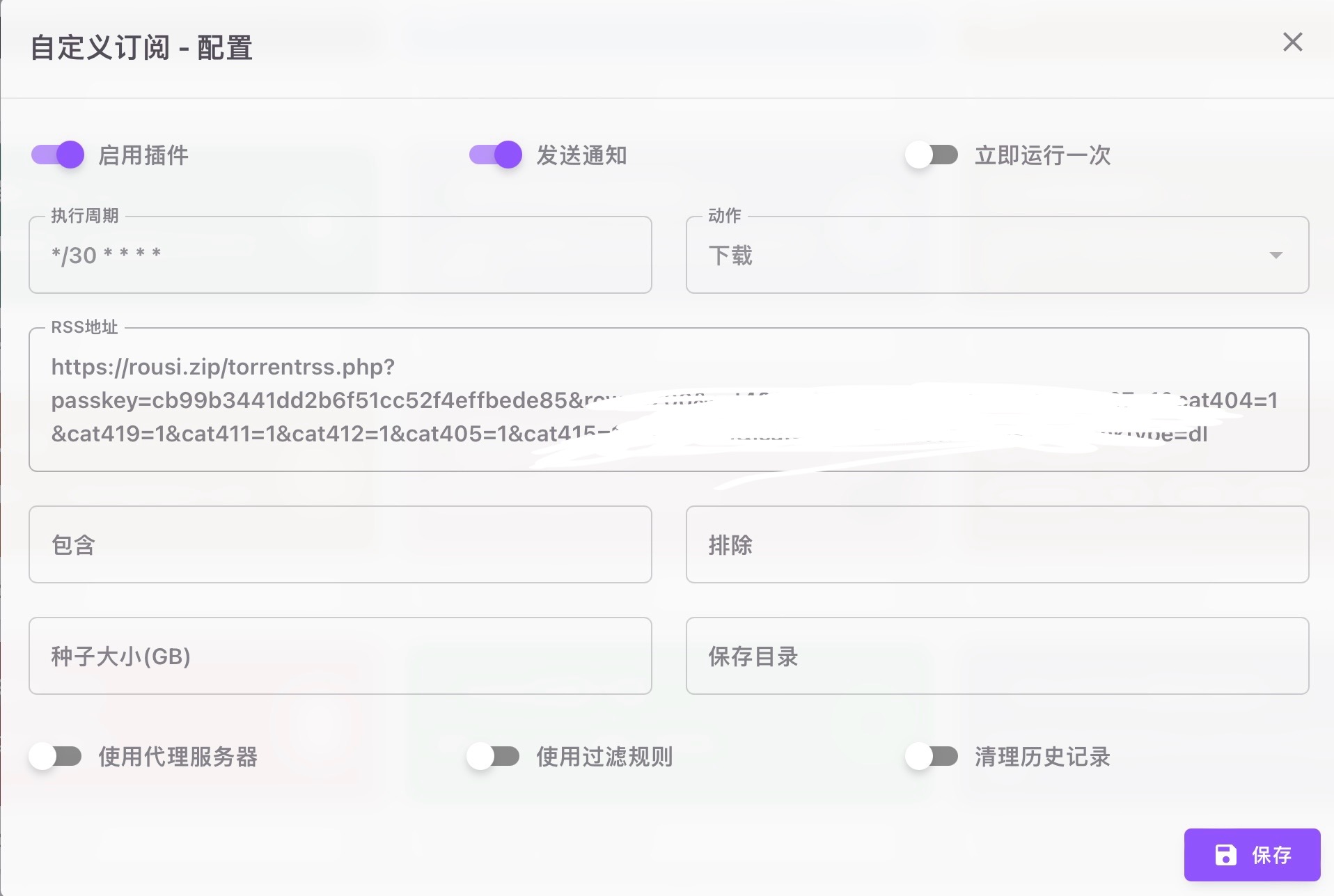
Paste it here.
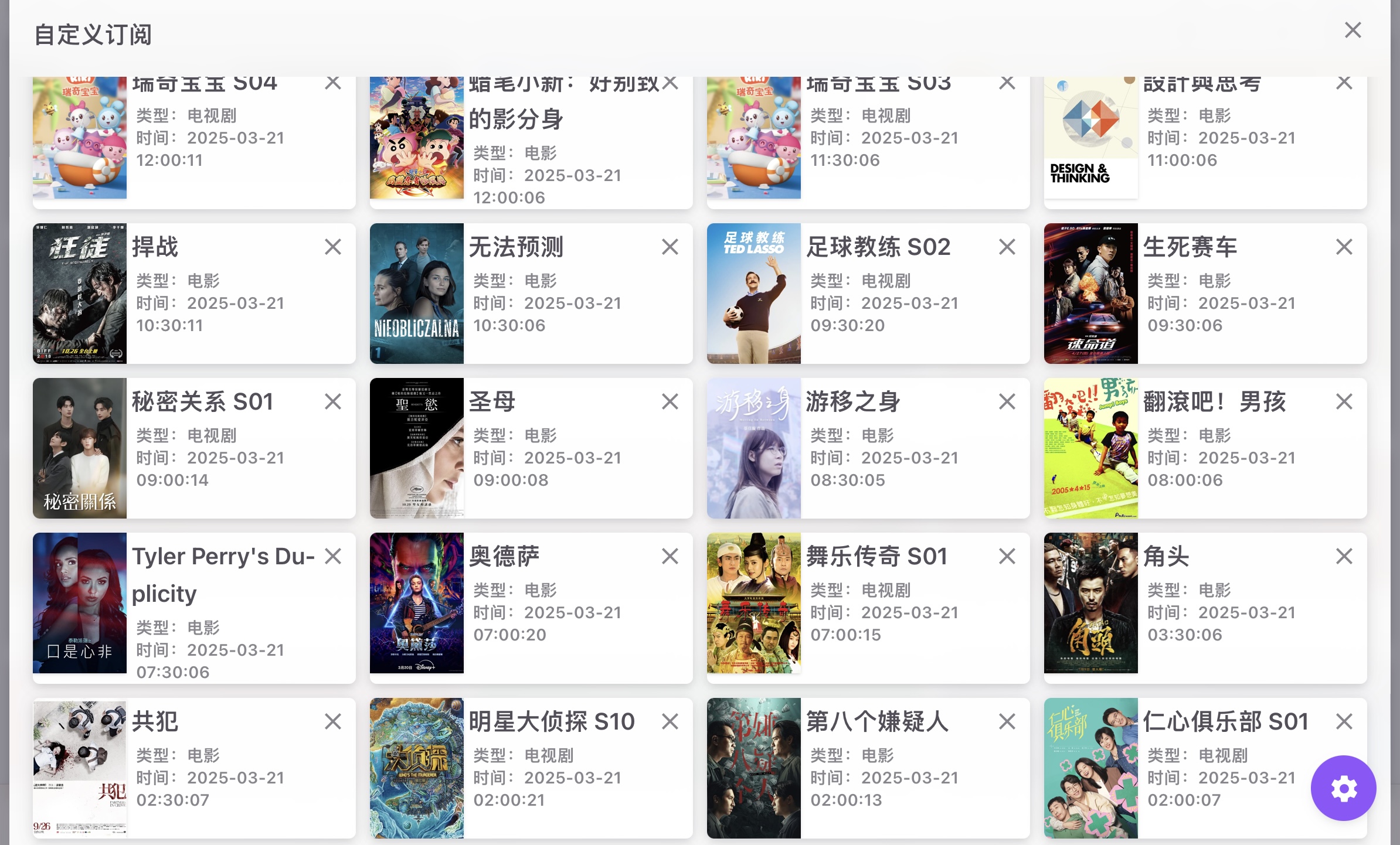
The result is shown below.
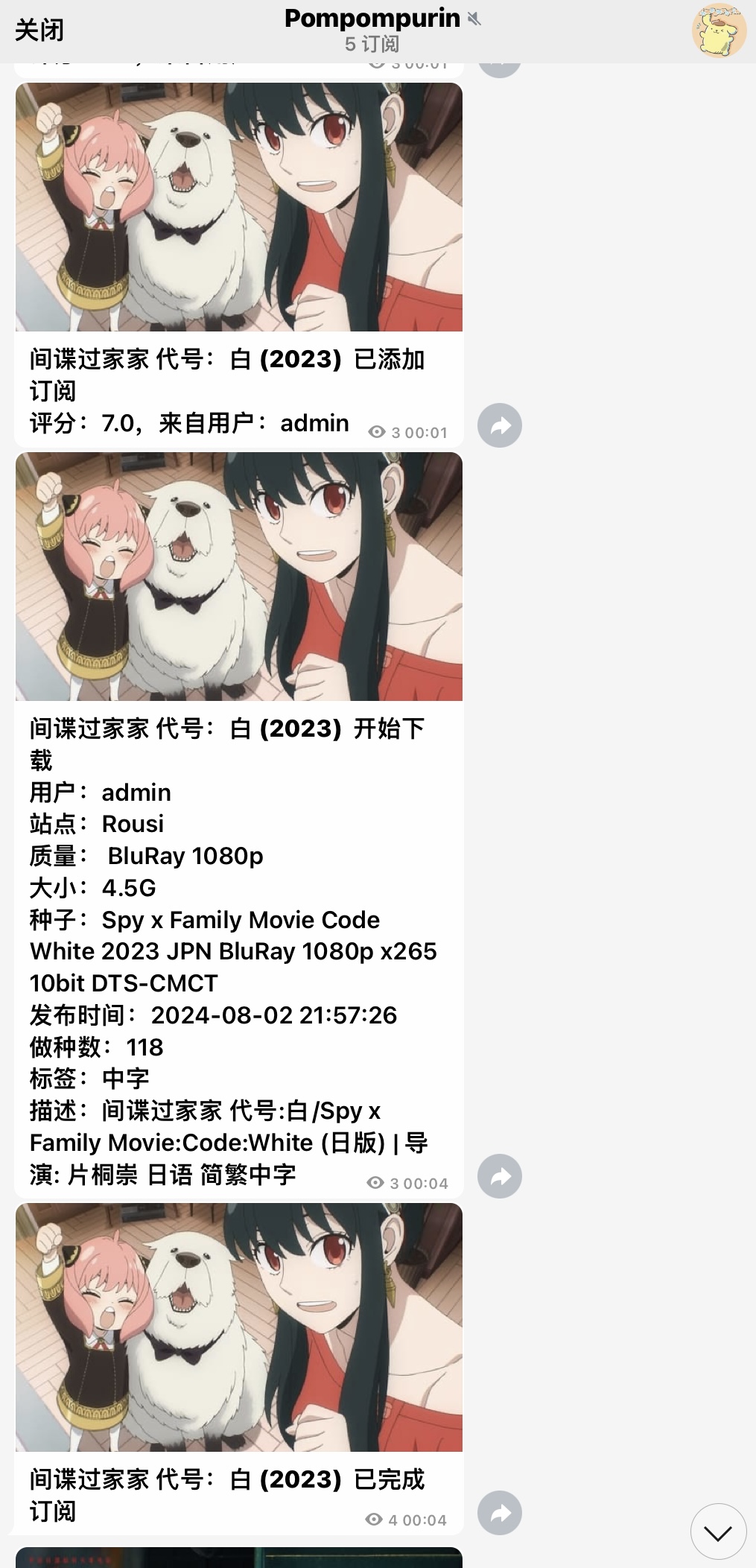
8. Bot notification example#
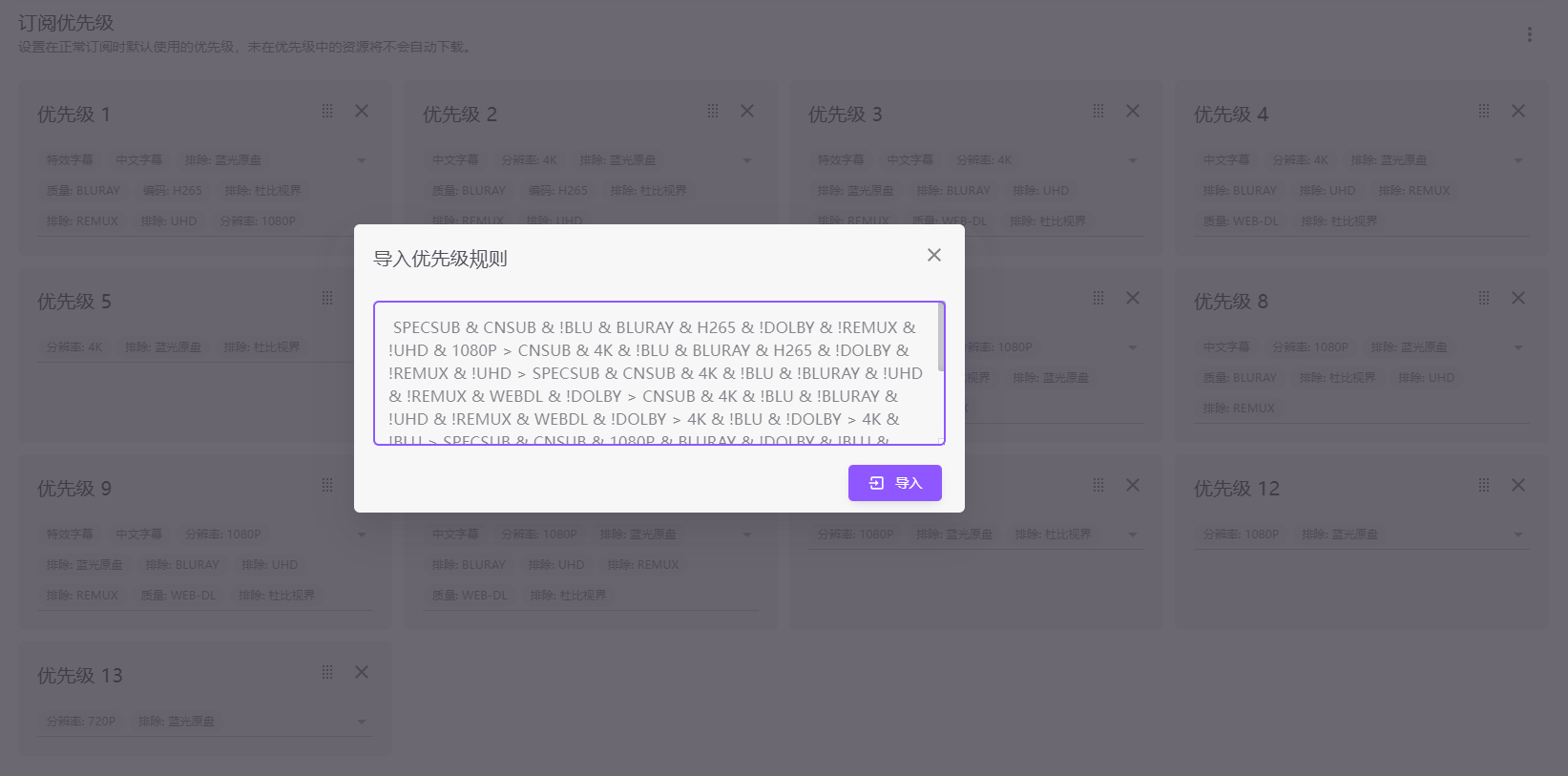
9. Subscription priority#
SPECSUB & CNSUB & !BLU & BLURAY & H265 & !DOLBY & !REMUX & !UHD & 1080P > CNSUB & 4K & !BLU & BLURAY & H265 & !DOLBY & !REMUX & !UHD > SPECSUB & CNSUB & 4K & !BLU & !BLURAY & !UHD & !REMUX & WEBDL & !DOLBY > CNSUB & 4K & !BLU & !BLURAY & !UHD & !REMUX & WEBDL & !DOLBY > 4K & !BLU & !DOLBY > 4K & !BLU > SPECSUB & CNSUB & 1080P & BLURAY & !DOLBY & !BLU & !UHD & !REMUX > CNSUB & 1080P & !BLU & BLURAY & !DOLBY & !UHD & !REMUX > SPECSUB & CNSUB & 1080P & !BLU & !BLURAY & !UHD & !REMUX & WEBDL & !DOLBY > CNSUB & 1080P & !BLU & !BLURAY & !UHD & !REMUX & WEBDL & !DOLBY > 1080P & !BLU & !DOLBY > 1080P & !BLU > 720P & !BLU
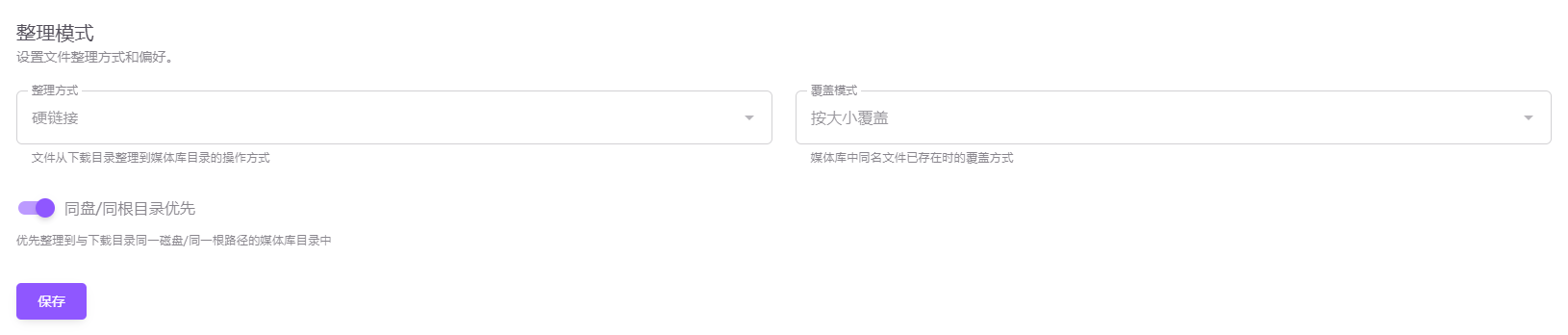
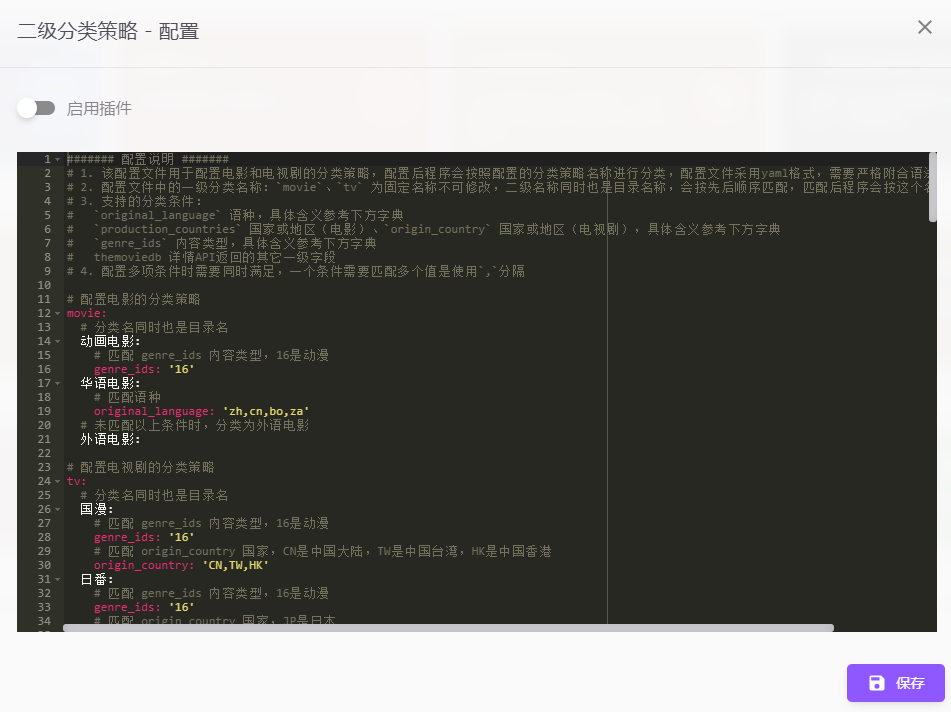
10. Automatically organize media-library directories#
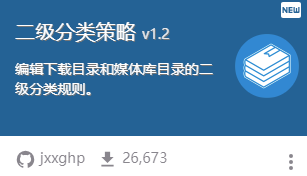
Install the plugin and configure it by following the interface.
11. Other notes#
Useful plugins include automatic metadata scraping and library import, popular-title subscriptions, automatic media-library refresh, Emby danmaku downloads, and many others.
There are many additional features that cannot all be shown here because this article is already long. Explore and develop them as needed.
IX. 🌐 Configure Reverse Proxy Domain Access or Optimize the Connection Line (Optional)#
This step is not required if you do not have a domain name.
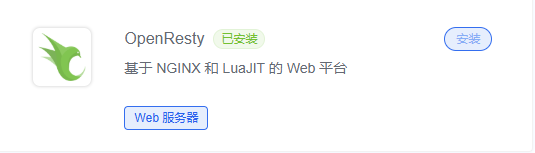
1. Install OpenResty#
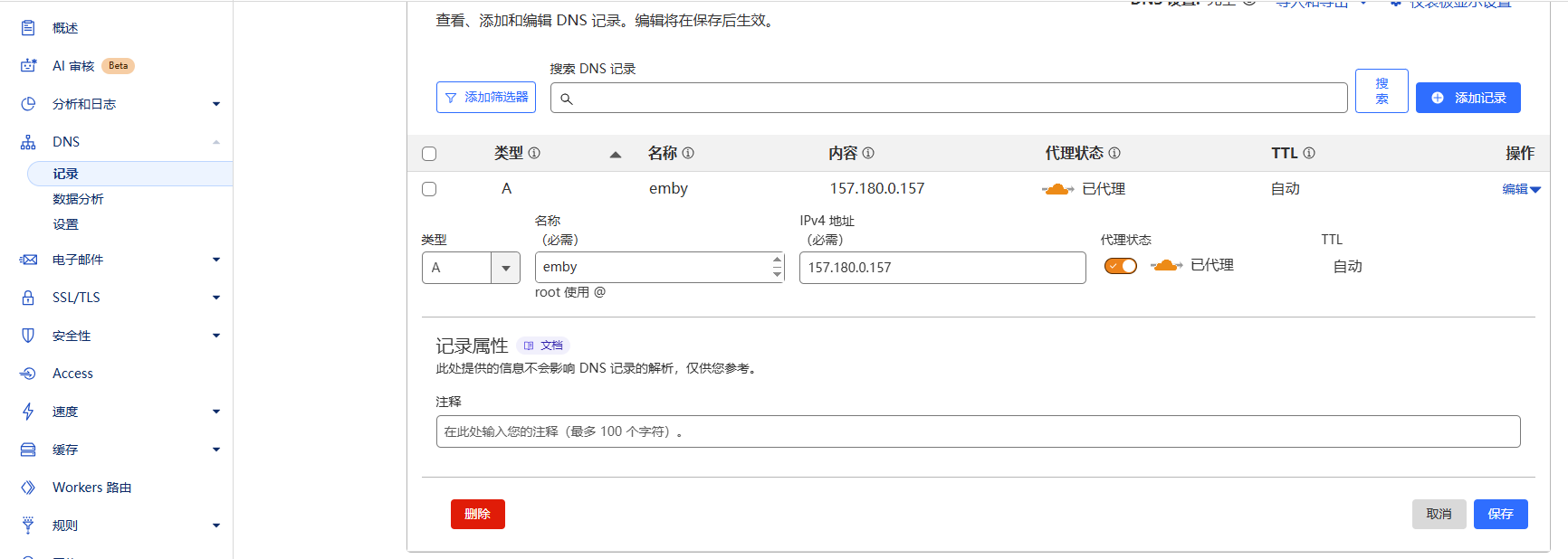
2. Update the A record in Cloudflare#
3. Download the certificate#
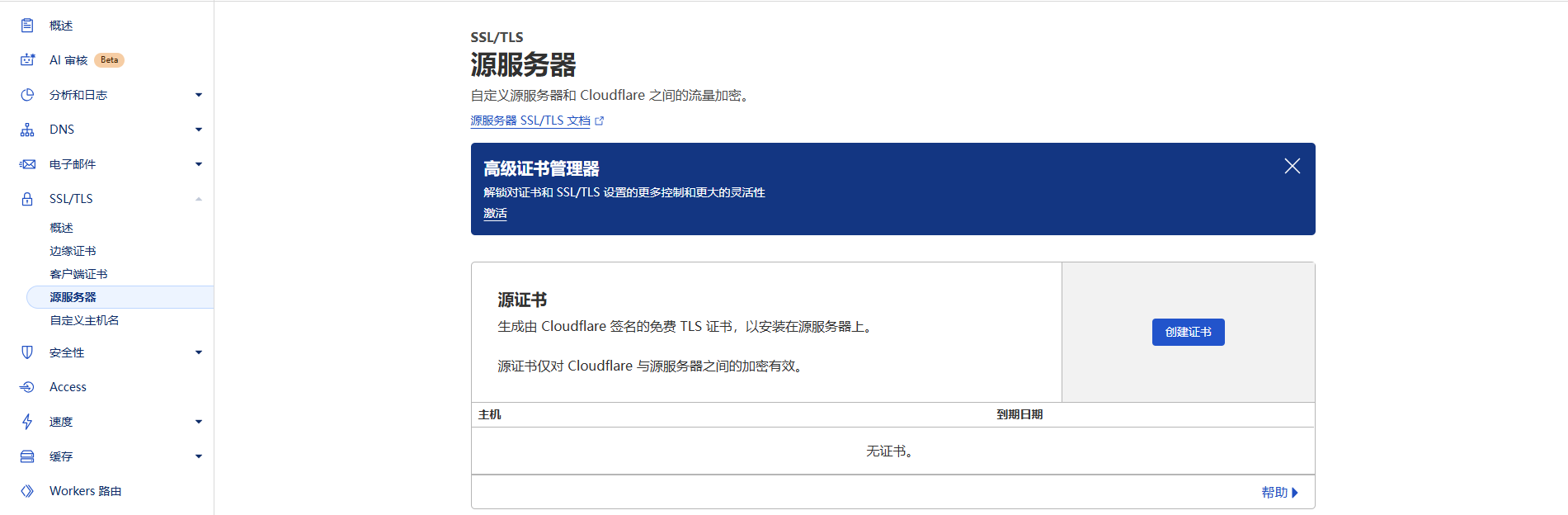
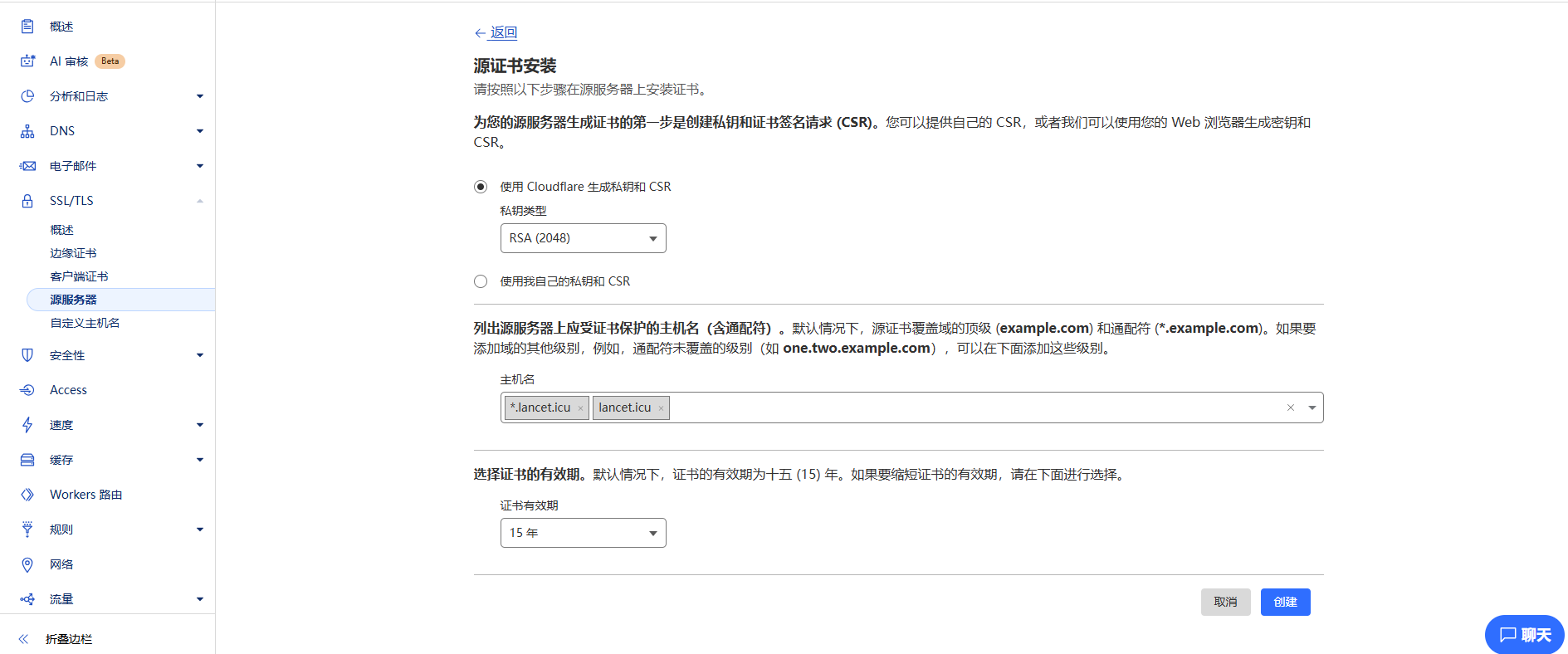
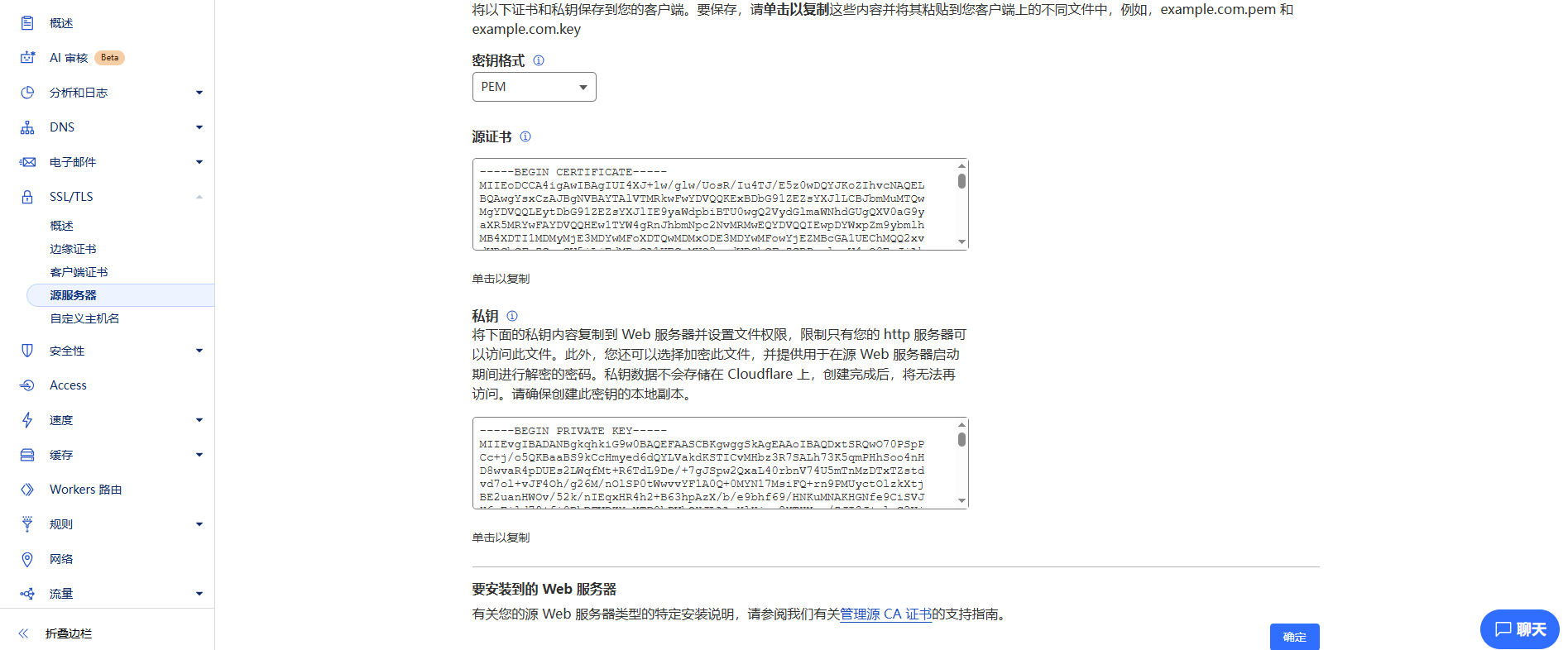
Copy the origin certificate and private key for later use. There are other ways to obtain a certificate, but this guide covers only one.
4. Upload the certificate#
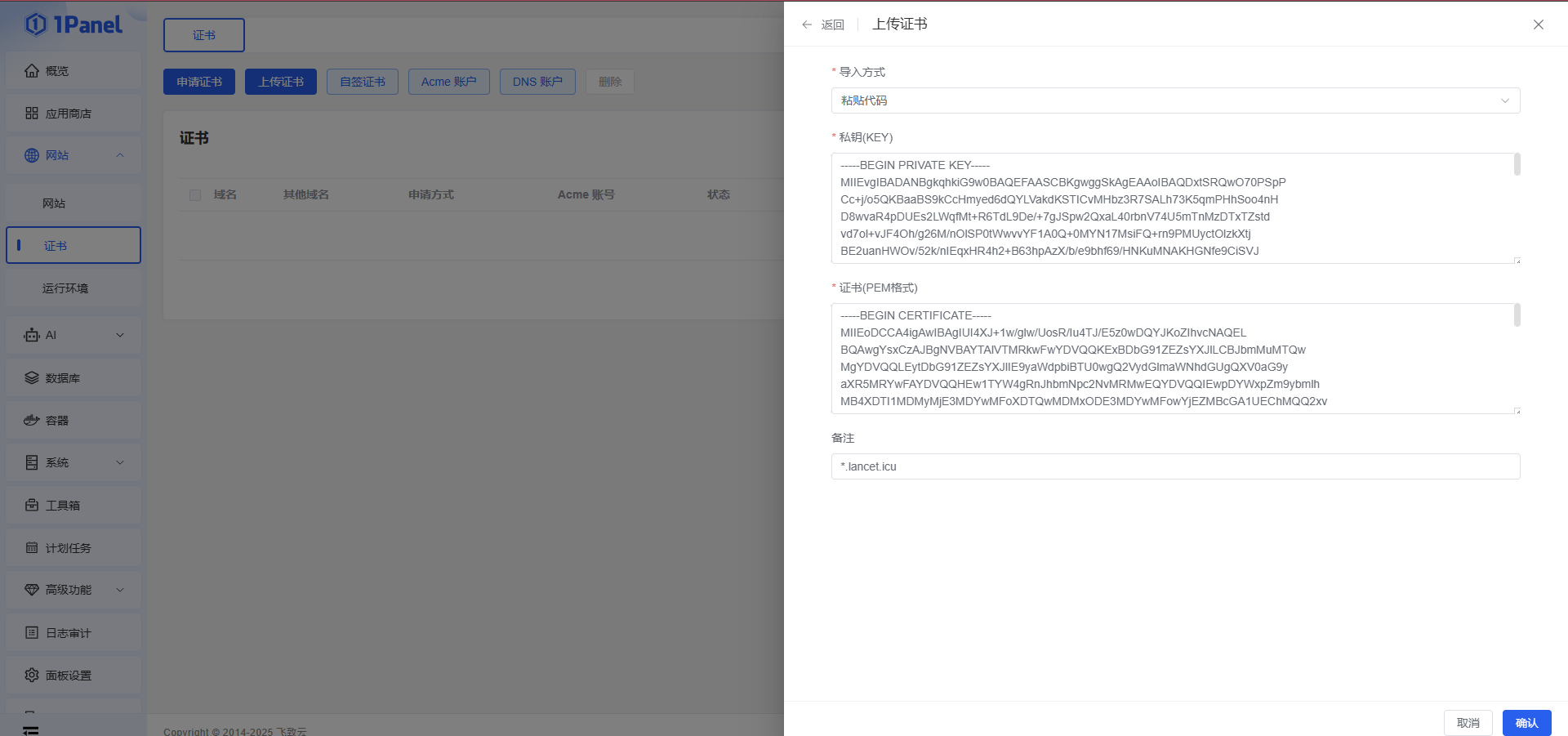
5. Configure the reverse proxy#
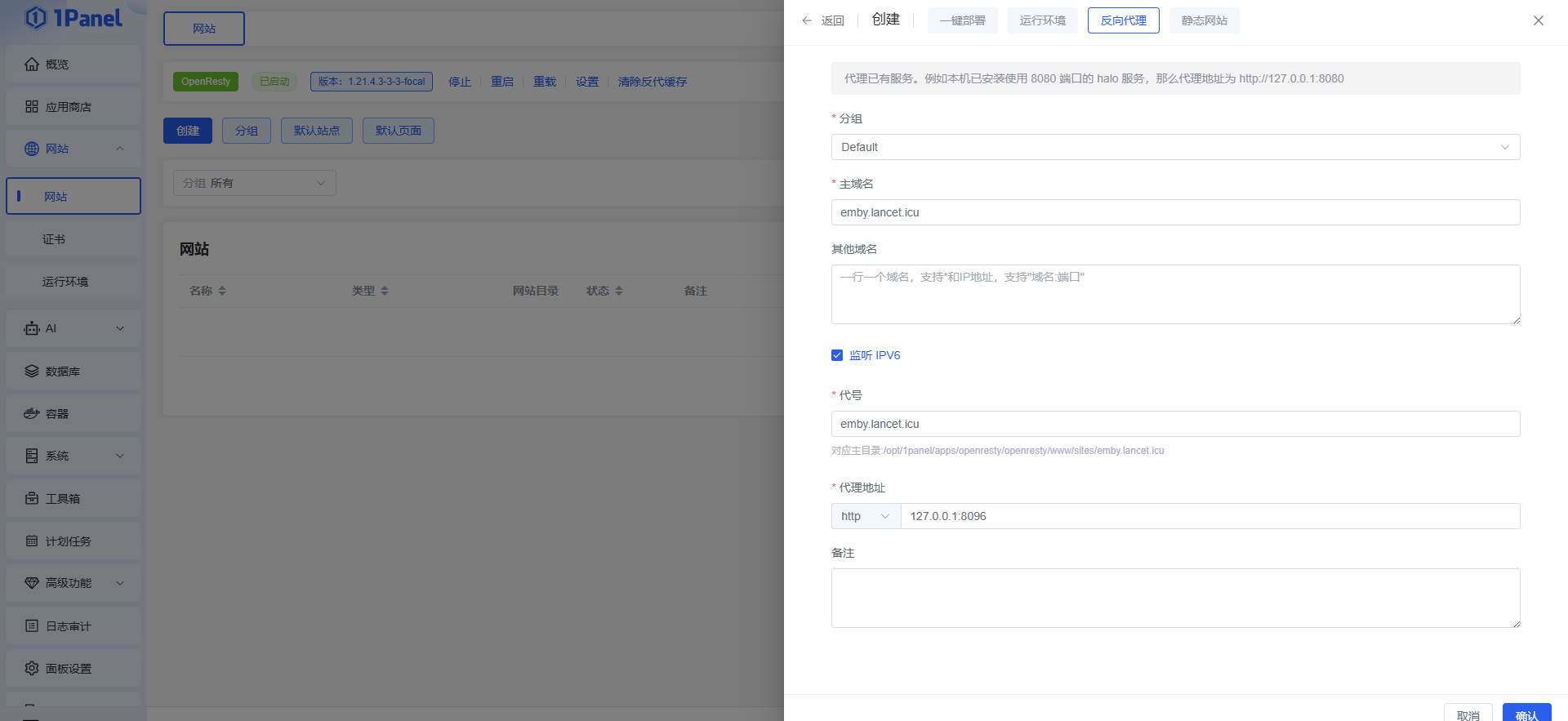
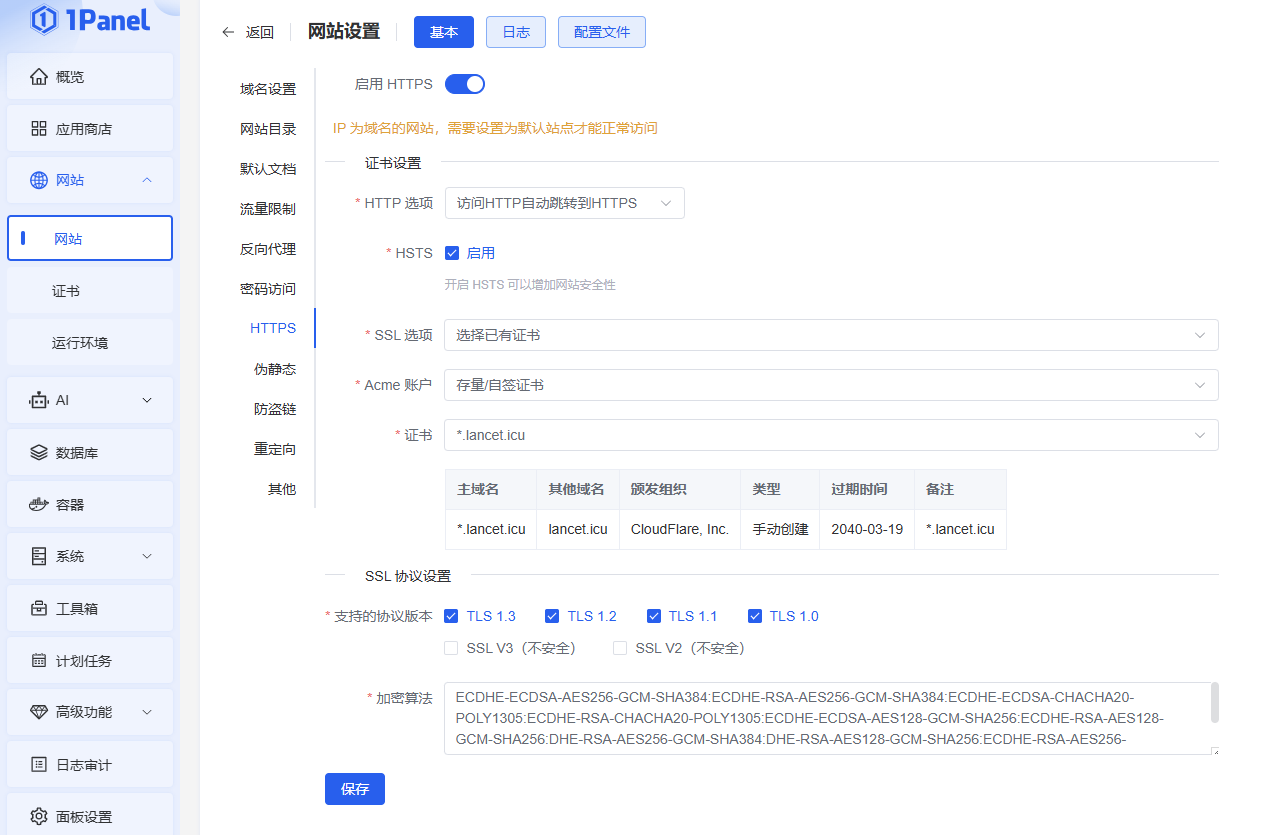
6. Other notes#
Be sure to save every change above, or it will not take effect. Connection-line optimization is similar; simply configure the reverse proxy on the server used for the optimized line. Apply the same approach to your own setup.
X. 🎉 Final Notes#
Creating this long illustrated guide was not easy. Planning, organizing, and presenting it took two days, and the rushed process means some parts may be rough. If you notice any omissions or mistakes, please leave a comment so we can discuss them. Thank you for your patience and understanding. Your support is my greatest motivation.
Reposted from: https://www.ashlord.com/archives/7 Reposted with the original author’s permission.